FlexPay Attributes
In the OpenPath transaction report, if you click in to any transaction, you will find a tab called attributes.
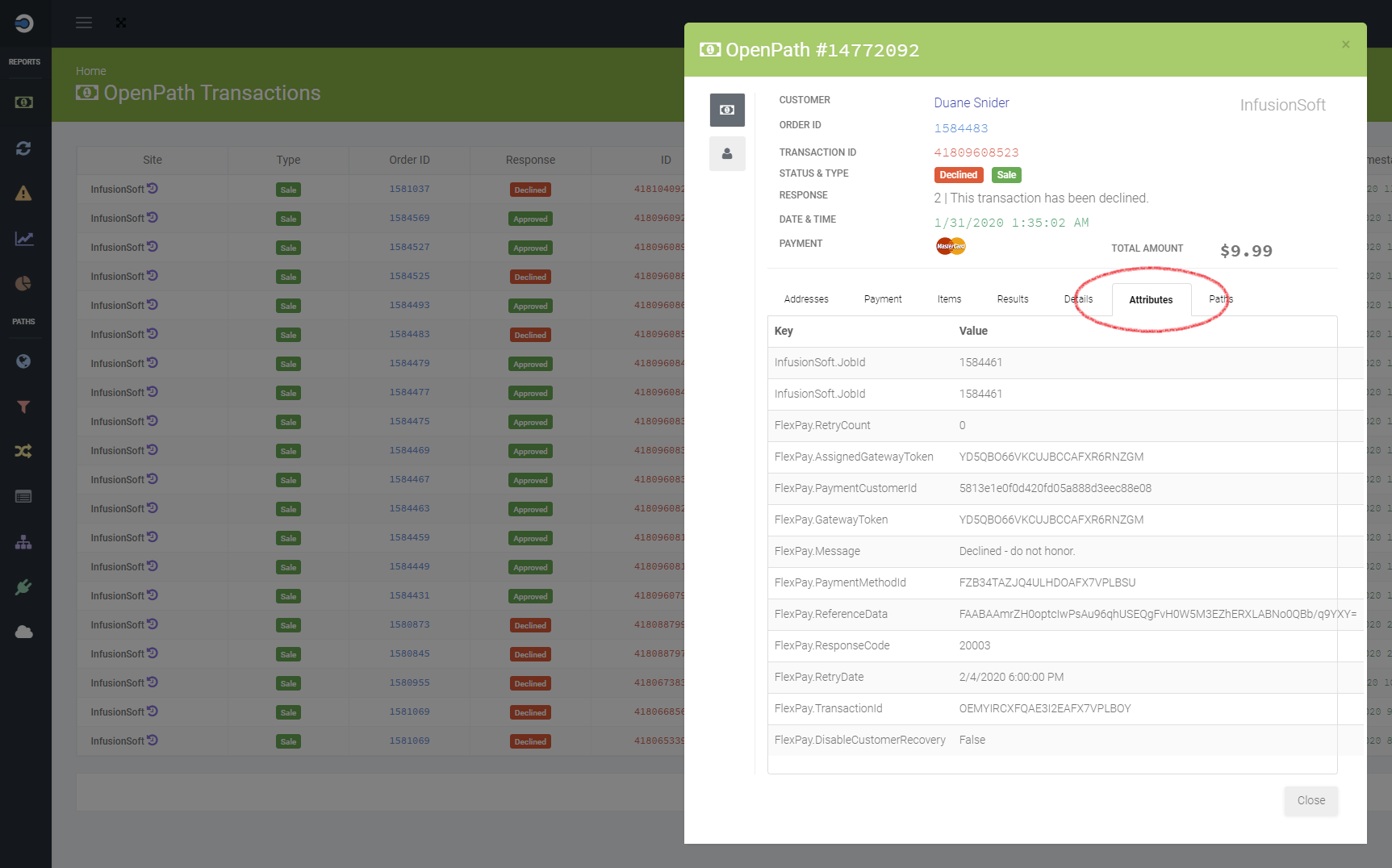
This attributes section of a transaction tracks any additional external information received from 3rd-party services. In the case of FlexPay, if a transaction is sent to FlexPay, then a set of FlexPay attributes will be found here.
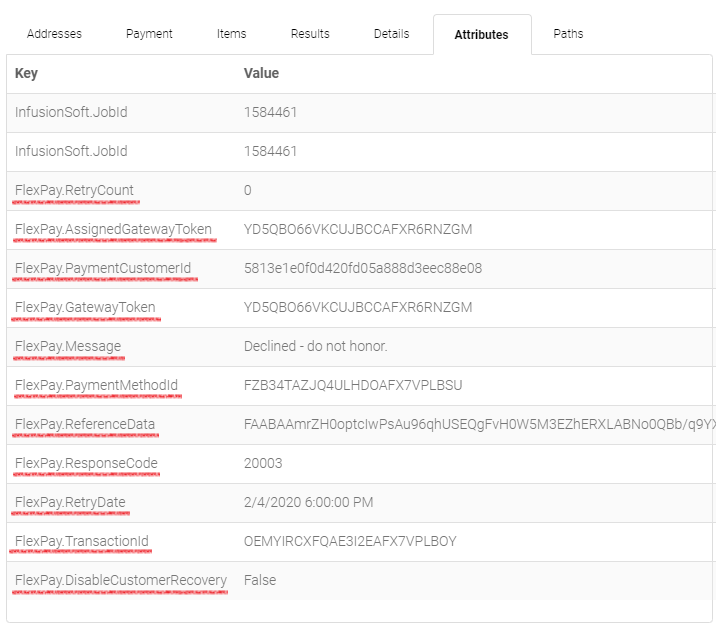
PaymentMethodId
The FlexPay identifier of the payment method.
PaymentCustomerId
The FlexPay identifier of the customer of the payment method.
TransactionId
The FlexPay identifier of the transaction.
Message
The FlexPay decoded gateway message.
ResponseCode
The FlexPay transaction response code.
GatewayToken
The FlexPay field is the gateway associated with a merchant account against which the request is made.
AssignedGatewayToken
This FlexPay field is the gateway associated with a merchant account against which the request will be made on a next attempt.
RetryDate
Indicates the date and time when the transaction should be retried.
RetryCount
This is the Retry Count tracked by OpenPath and sent to FlexPay
ReferenceData
This is the FlexPay reference data received from the gateway when a payment failed. Return this data on retry transaction for the same payment.
DisableCustomerRecovery
This field is sent to FlexPay by OpenPath which determines if FlexPay should initiate a retry date.
UsedToGenerateRetry
This is an OpenPath field that represents if this transaction has been used to attempt a new rebill date. This field only gets updated when the transaction is retried.
PaymentRecovered
This is an OpenPath field that represents if there was a successful transaction after this declined transaction.
RetryErrorCount
If there was an error trying to retry this transaction, this is the amount of retries attempted before it was successful, or the retry error count exceeded three.
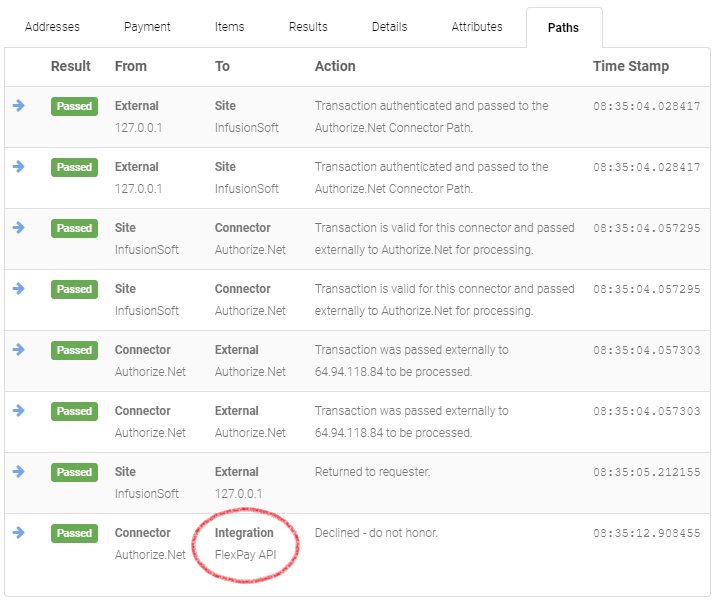
FlexPay Path
When OpenPath is moving transactions through our system, we track everywhere that transaction is sent, if you navigate to the Paths section of a transaction and that transaction was sent to FlexPay, you will see the FlexPay path in Paths.
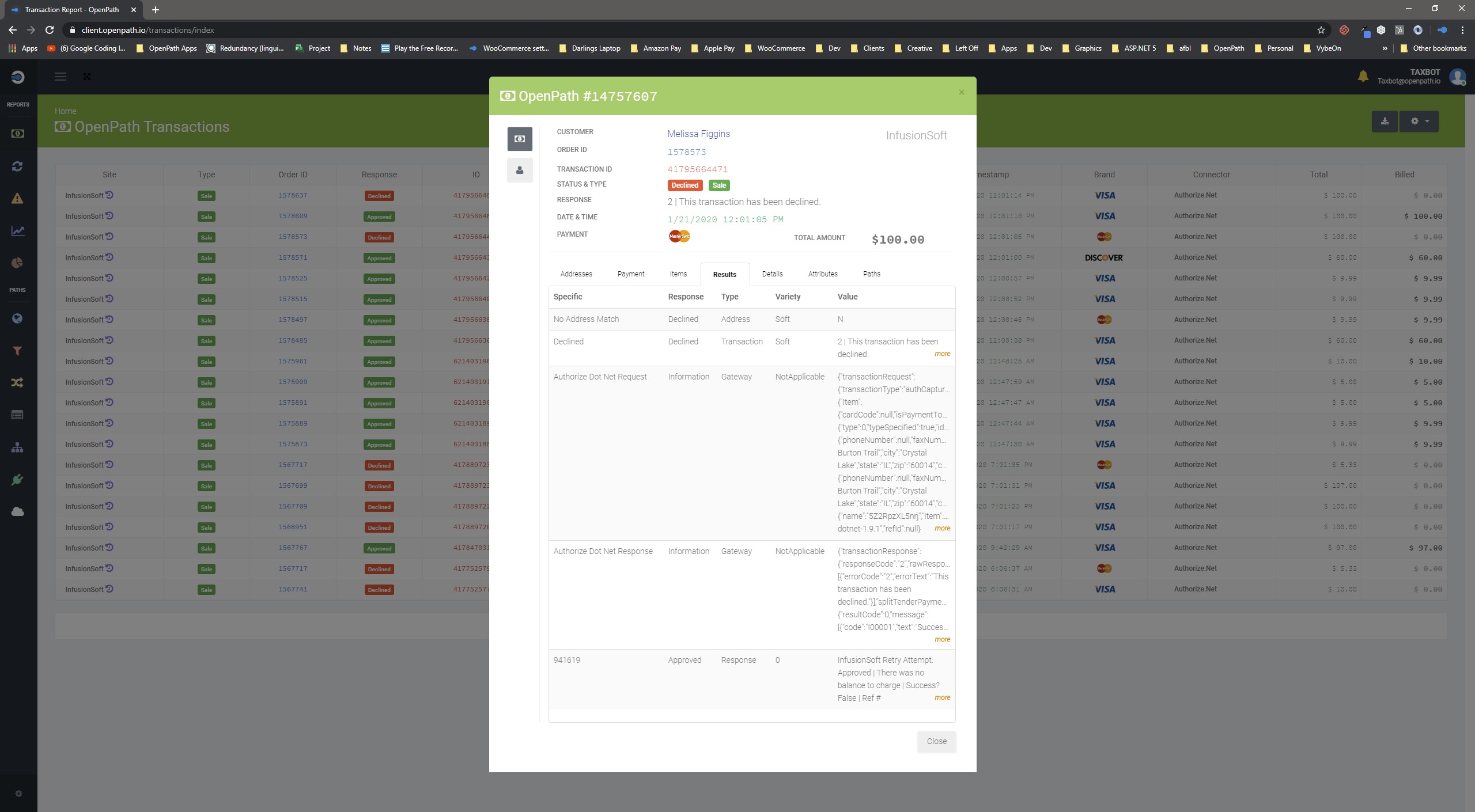
Results
When OpenPath is processing transactions through 3rd-part systems, it will record all the available results in the results section. If there was an error with FlexPay or the subscription system of record holding the recurring accounts, any errors or negative results might be found here. In the example below, the transaction do not bill through InfusionSoft on the retry date, when reviewing the InfusionSoft values, we can see it's because the subscription was paid up outside of the system.
Was this article helpful?
That’s Great!
Thank you for your feedback
Sorry! We couldn't be helpful
Thank you for your feedback
Feedback sent
We appreciate your effort and will try to fix the article