OpenPath has the ability to activate and deactivate certain integrations in just a flip of a switch and this can be done with the FlexPay integration.
Deactivating will stop requests going to FlexPay for new retry dates, but will still allow all transactions to reach the processor.
To activate or deactivate, just follow these steps.
- Go to client.openpath.io and login using your OpenPath credentials.

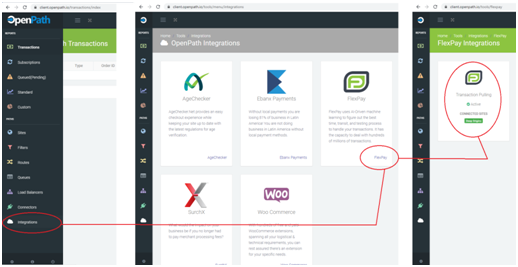
- As soon as you're logged in, Navigate to Integrations > FlexPay > Click on the Flexpay Tile.
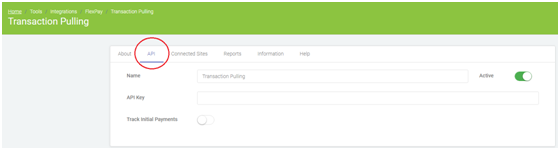
- Select the API tab and you will see the the Activate / Deactivate switch.
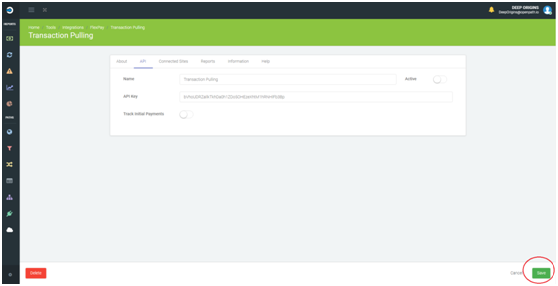
- To Activate or Deactivate, just slide over the switch. A green switch means it's Active, and white means it's Inactive. Do not forget to click SAVE on the lower right to confirm your settings.
You're done!
Was this article helpful?
That’s Great!
Thank you for your feedback
Sorry! We couldn't be helpful
Thank you for your feedback
Feedback sent
We appreciate your effort and will try to fix the article