Thank you for taking the first steps in creating your OpenPath Account. This guide will show you how to upgrade your account from our trial Version.
Upgrading your Account from Trial to Live lets you send live transactions to a real processing account. The Trial Version only allows a Sandbox Connector (a connection to a test processing account that does not charge credit cards).
While in Trial, you will see the following banner at the top of the page in OpenPath interface https://client.openpath.io

To enable the Connectors and process real payments, all you need to do is to add your Credit Card details for Payment. You can click on the Banner and you will be directed to the Payment Method page.
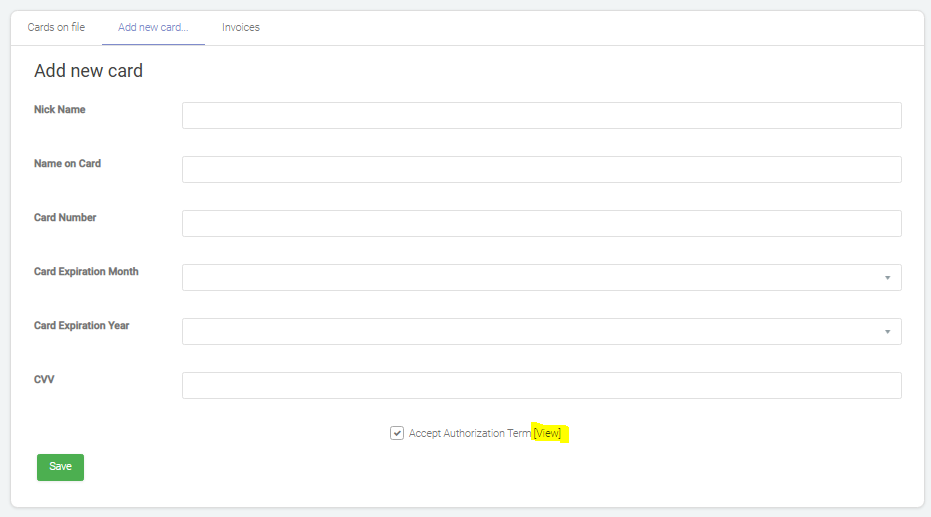
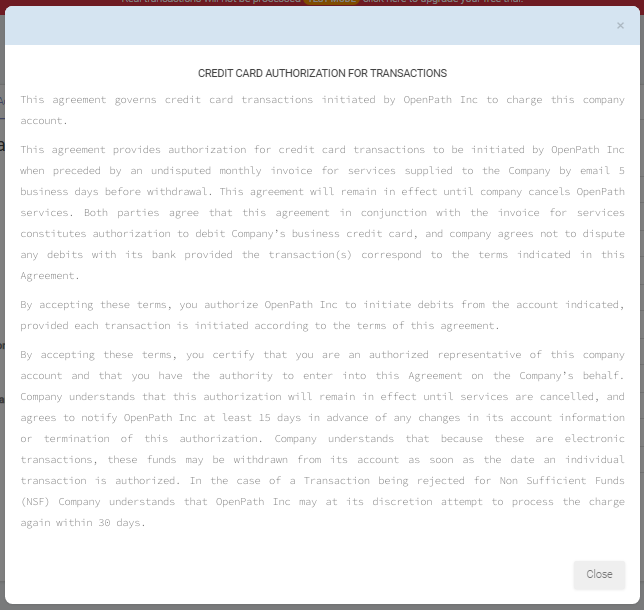
To add your Credit Card information, just go to the Add New Card tab and fill in the details. Please make sure you tick the Accept Authorization Term before Saving. You can view the Full Authorization Form by clicking the [view] button.
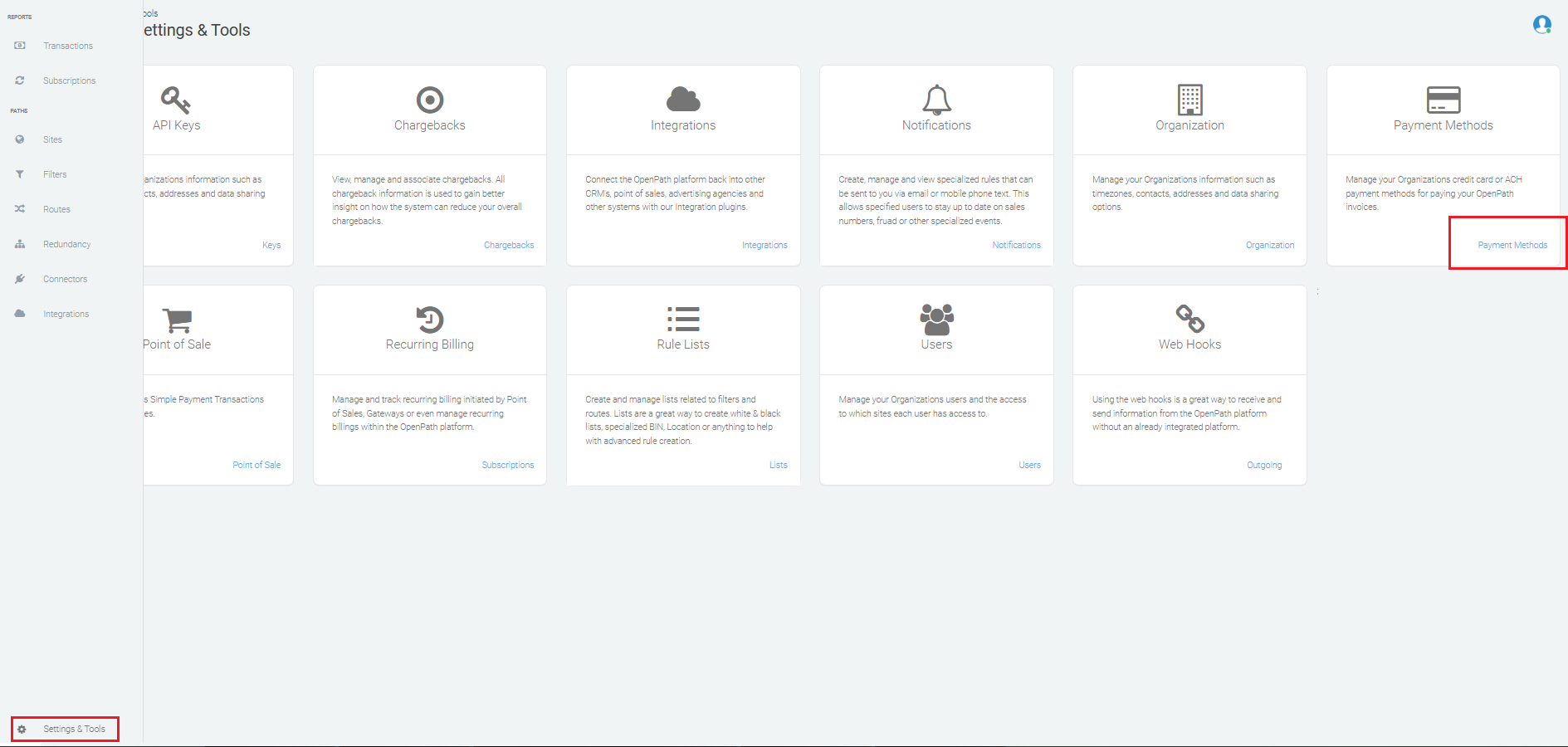
If the banner is not showing, you can also go to Settings and Tools and then go to Payment Methods and you will be directed to the Payment Method page.
Once you Saved your Payment details, you're now ready to use the full Version of OpenPath.
Was this article helpful?
That’s Great!
Thank you for your feedback
Sorry! We couldn't be helpful
Thank you for your feedback
Feedback sent
We appreciate your effort and will try to fix the article