InterPayments is a payments technology innovator focused on helping merchants reduce the burden of costly interchange fees.
This article provides a guide to connect an InterPayments account with the OpenPath platform.
When these steps are complete any Shopify store using a selected site will display the Transaction Fee at checkout time.
Note - the SplitPay feature will be automatically disabled for any Shopify store using the InterPayments integration.
Setup Steps
Login to your OpenPath Support Account at https://client.openpath.io using your email address and password.
[if you do not have a login, please contact OpenPath support - support@openpath.io]

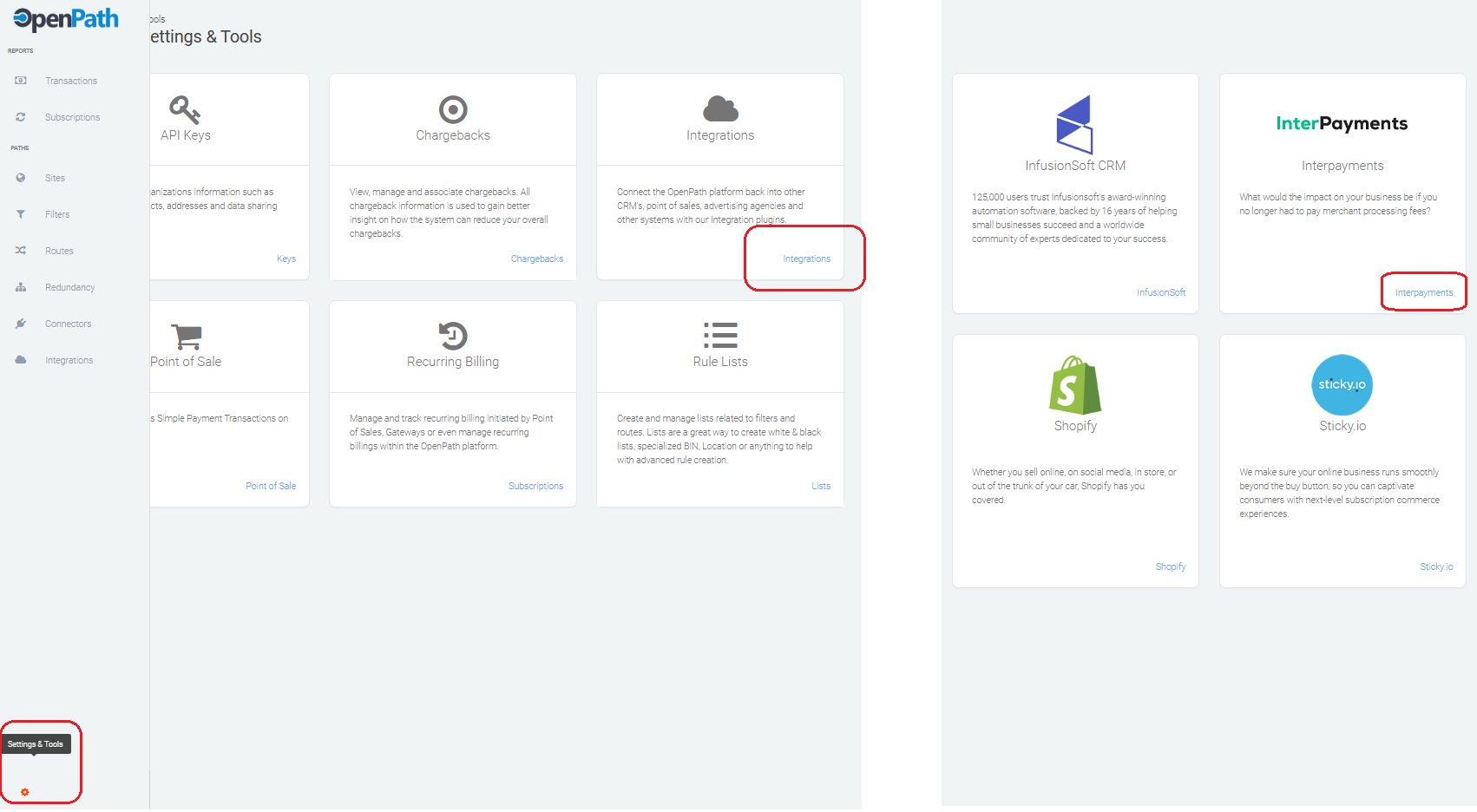
Once you're logged in, navigate to Settings and Tools > Integrations > InterPayments and then click on Add Interpayment Integration.
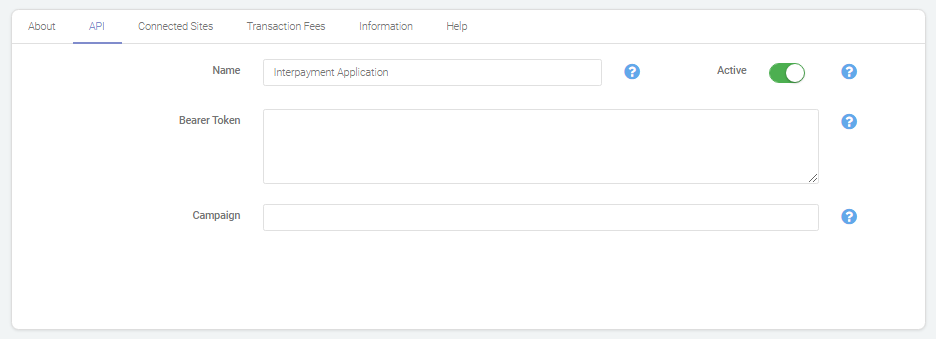
In the API tab, paste you Bearer Token from Interpayments. You can use either the Test (for testing) or the Production (LIVE) Tokens. You can name the Connection as you prefer. Make sure to make the connection Active.
[if you do not have a bearer token, please contact Interpayments support]
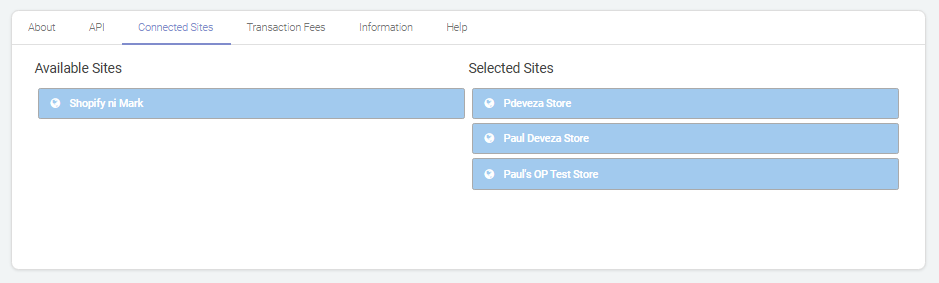
In the Connected Sites tab, drag and drop the Sites you'd like to use with InterPayments from the Available Sites list to the Selected Sites list. Make sure to click Save at the lower right hand side when you're done.
Was this article helpful?
That’s Great!
Thank you for your feedback
Sorry! We couldn't be helpful
Thank you for your feedback
Feedback sent
We appreciate your effort and will try to fix the article