FlexFactor is a backup processing option for any transactions that your primary processor does not accept. In this article are detailed instructions on how to add your FlexFactor account as a Connector in OpenPath and configure your procesor to cascade to your FlexFactor Connector.
Login to OpenPath
Login to your OpenPath Support Account at https://client.openpath.io using your email address and password.

Create a FlexFactor Connector
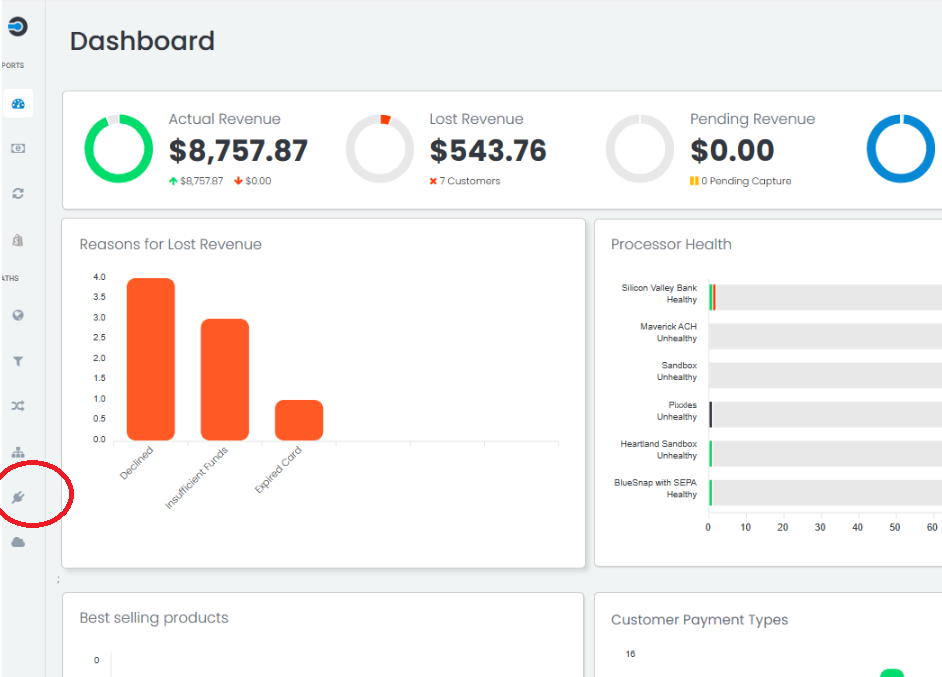
Navigate to Connectors in the left hand menu
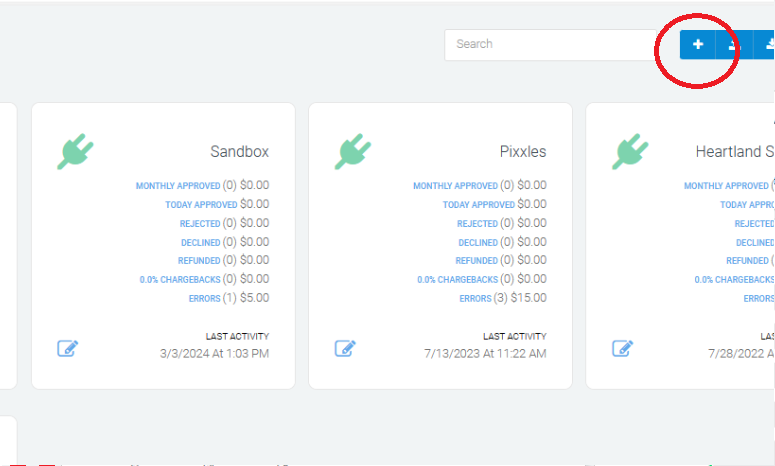
And select the "+" button to add a new connector
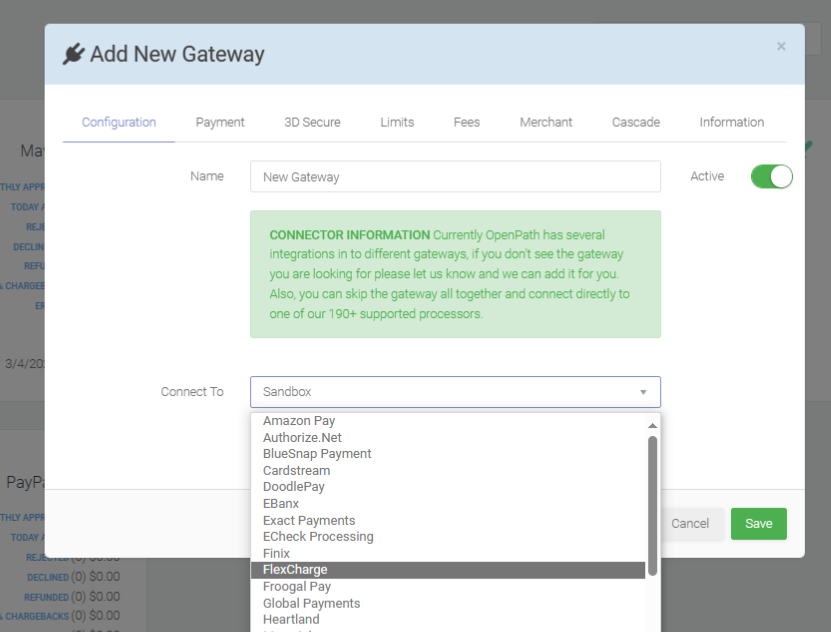
Add a name for your new Connector, such as "FlexFactor Live", and select FlexFactor from the "Connect To" menu
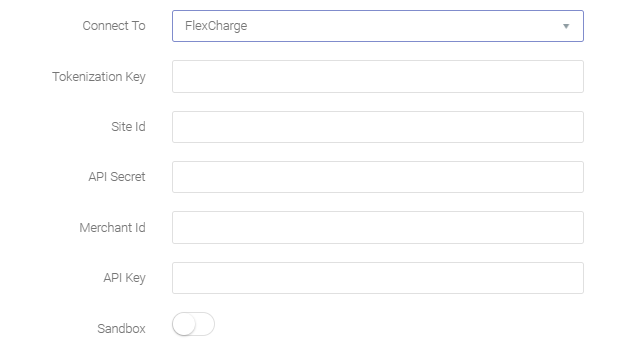
Add your FlexFactor credentials (Tokenization Key, Site Id, API Secret, Merchant Id, API Key) into the appropriate fields.
These items can be found in your FlexFactor portal - Merchant Portal
Select the Payment tab, and drag the payment methods you want to accept into the right hand frame, then press Save.
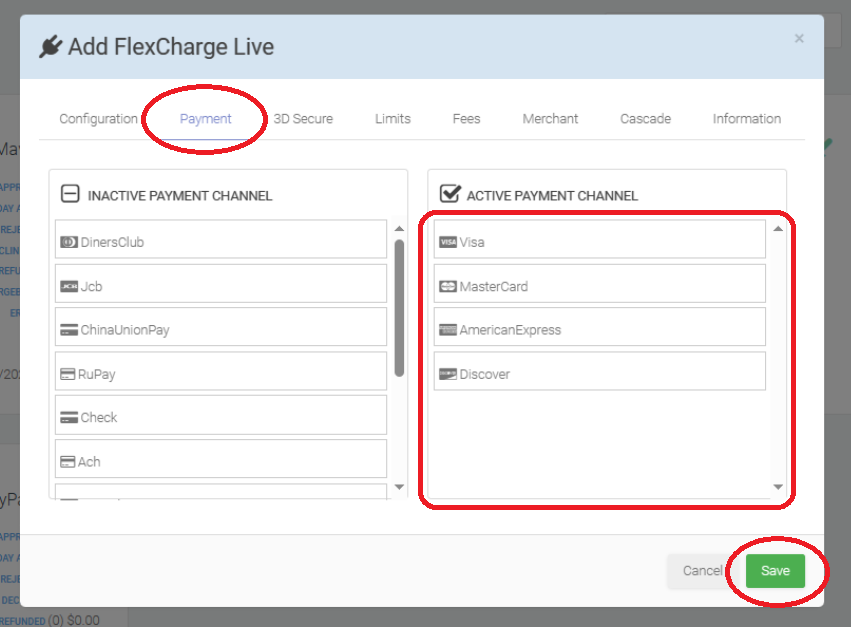
You have successfully created your FlexFactor Connector
Attaching Your FlexFactor Connector as Your Backup
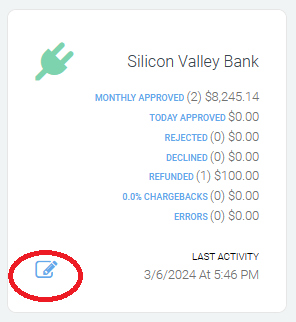
Navigate to the Connectors you want to have a backup for and select the edit icon in the bottom left
Select the Cascade tab, click the Enable Cascade button (so that it is green), and select the Cascade Path ID dropdown to be your newly created FlexFactor Connector.
Now press Save
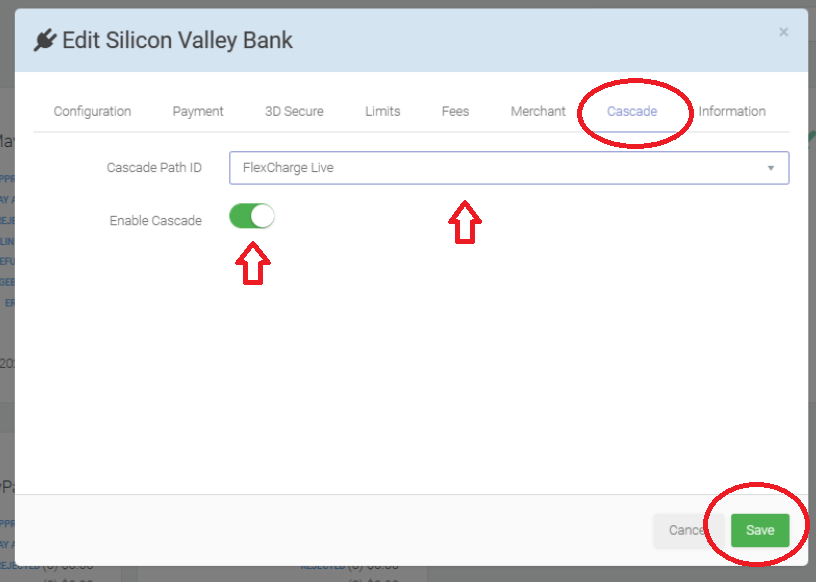
Congratulations! You have successfully added your FlexFactor account to pick up any transactions that your primary processor does not accept.
Was this article helpful?
That’s Great!
Thank you for your feedback
Sorry! We couldn't be helpful
Thank you for your feedback
Feedback sent
We appreciate your effort and will try to fix the article