What is OpenPath?
OpenPath gives merchants all the power of payments technology, simply and easily. To help merchants get integrated quickly, OpenPath is an integrated option in the Stick.io platform.
More information on OpenPath can be found here: http://openpath.io/
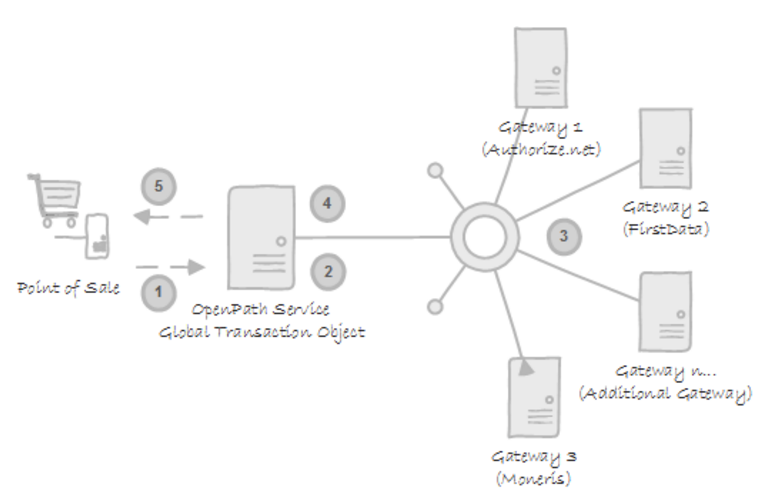
Configuring OpenPath in Sticky.io
Prerequisites:
To complete the Sticky setup you will need:
- An OpenPath login
- A Site configured in the OpenPath account
If you do not have either of these, please click the link to visit OpenPath Support
Steps:
To configure the OpenPath Gateway into your sticky.io platform, you will go to:
Settings > Providers
Click on the Actions drop-down arrow and select Add New Provider Profile.
Click on Payment as the provider type and then select OpenPath from the Provider drop-down list.
You will then need to fill out the required parameters:
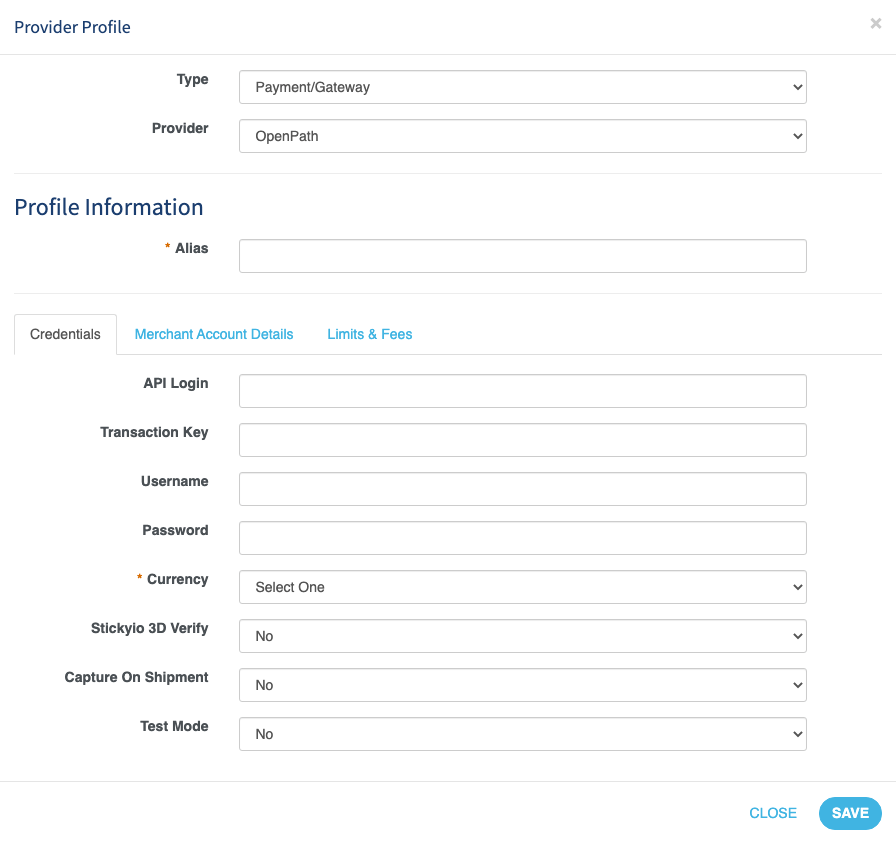
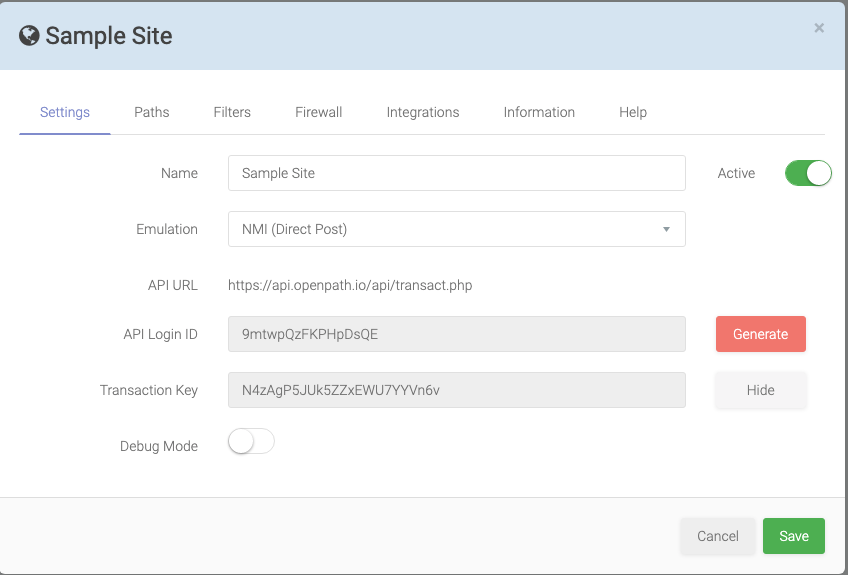
API Login: This is found under Sites in your OpenPath Account. Click on the correct Site that and under Settings you can find API Login.
Transaction Key: This is found under Sites in your OpenPath Account. Click on the correct Site that and under Settings you can find TransactionKey
Username: This will be your OpenPath account username.
Password: This will be your OpenPath account password.
Sample Site from OpenPath
Was this article helpful?
That’s Great!
Thank you for your feedback
Sorry! We couldn't be helpful
Thank you for your feedback
Feedback sent
We appreciate your effort and will try to fix the article