Application Level Installation
The Application Level installation gives you more control of the Encrypted Checkout payment page but is not required for processing payments. Before continue with the Application Level installation, make sure you've already completed the Basic Level installation. If you haven't completed that step yet, please do so by clicking the link below, then returning to this article.
Basic Installation of Encrypted Checkout
The Application Level installation allows Encrypted Checkout to seamlessly communicate back and forth between Shopify and Encrypted Checkout adding many new features to the Encrypted Checkout by installing it as a Sales Channel Shopify App.
Installation Steps
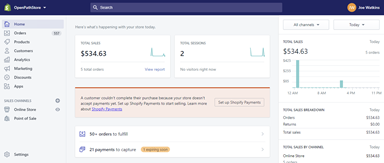
Login to your Shopify store | Go to your Shopify store at https://[YOURSTORENAME].myshopify.com/admin and login. |
 | |
| Install our App | Click the following URL into your browser window to see the Encrypted Checkout App in the Shopify Store. |
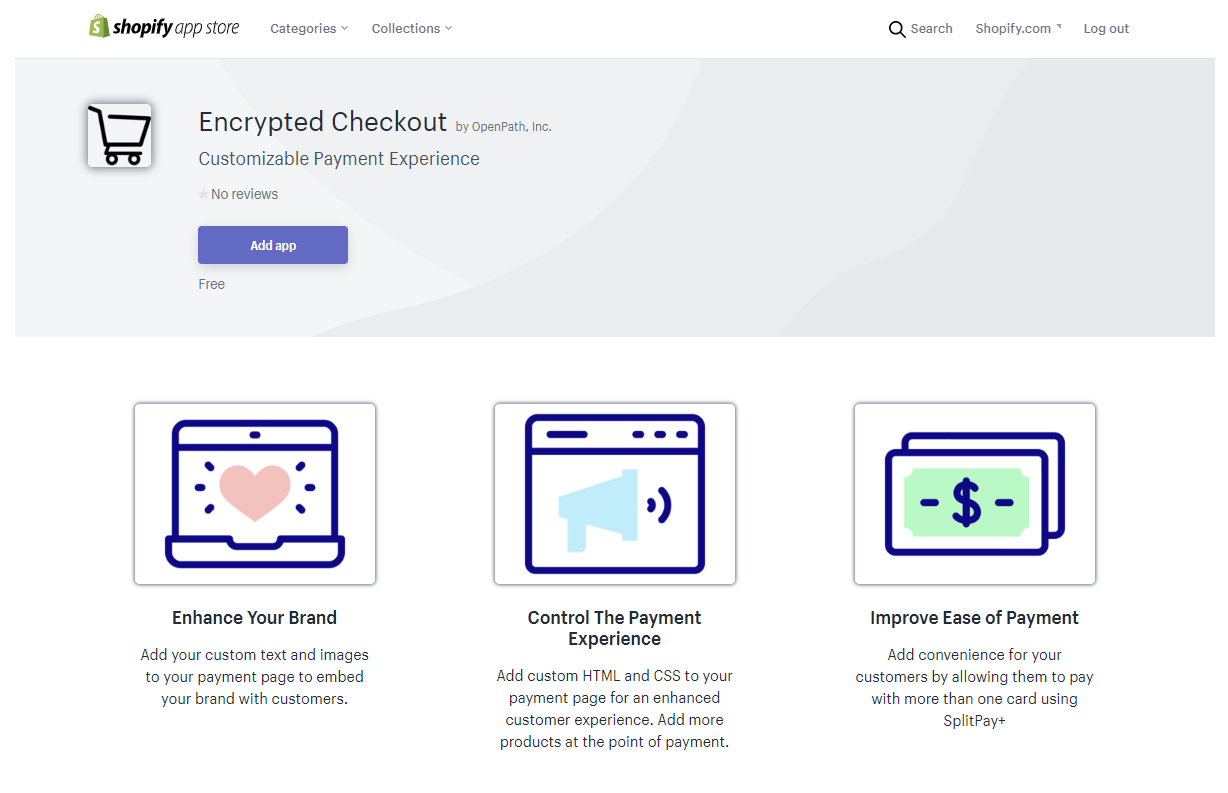 | |
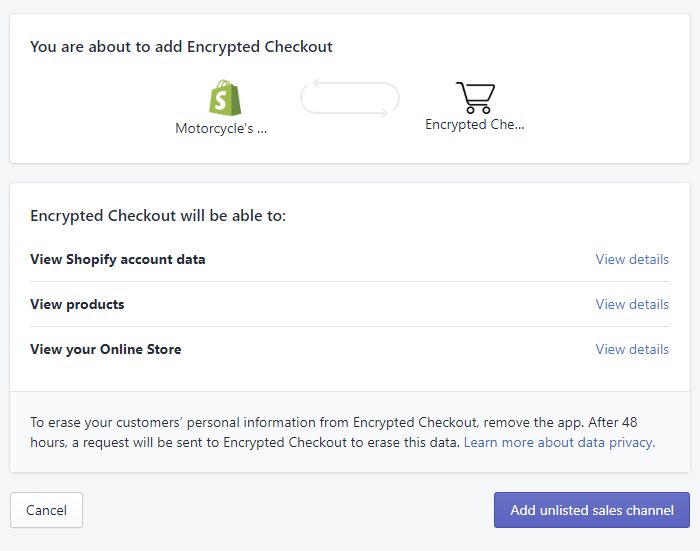
| Accept App Access | Click on the Add app button and then click on the Add unlisted sales channel button to give Encrypted Checkout access to your Shopify Store |
 | |
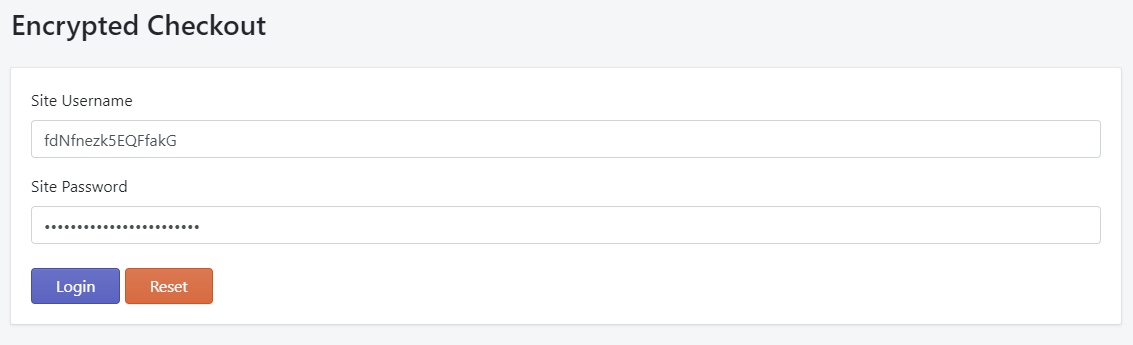
| Add your gateway credentials | Next, you need to enter the same gateway credentials you entered when setting up the Encrypted Checkout in your Payment settings. If you do not know these credentials, please contact support. Once you've entered your credentials, click Login. |
 | |
| Installation Complete | Once you click Login, you will be taken back to your Shopify store and a message letting you know that the App has successfully installed. You will also see a new Sales Channel called Encrypted Checkout |
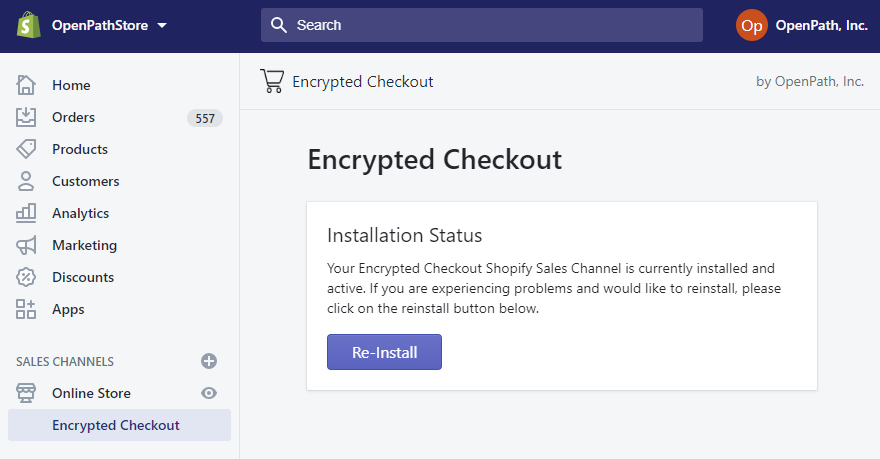 | |
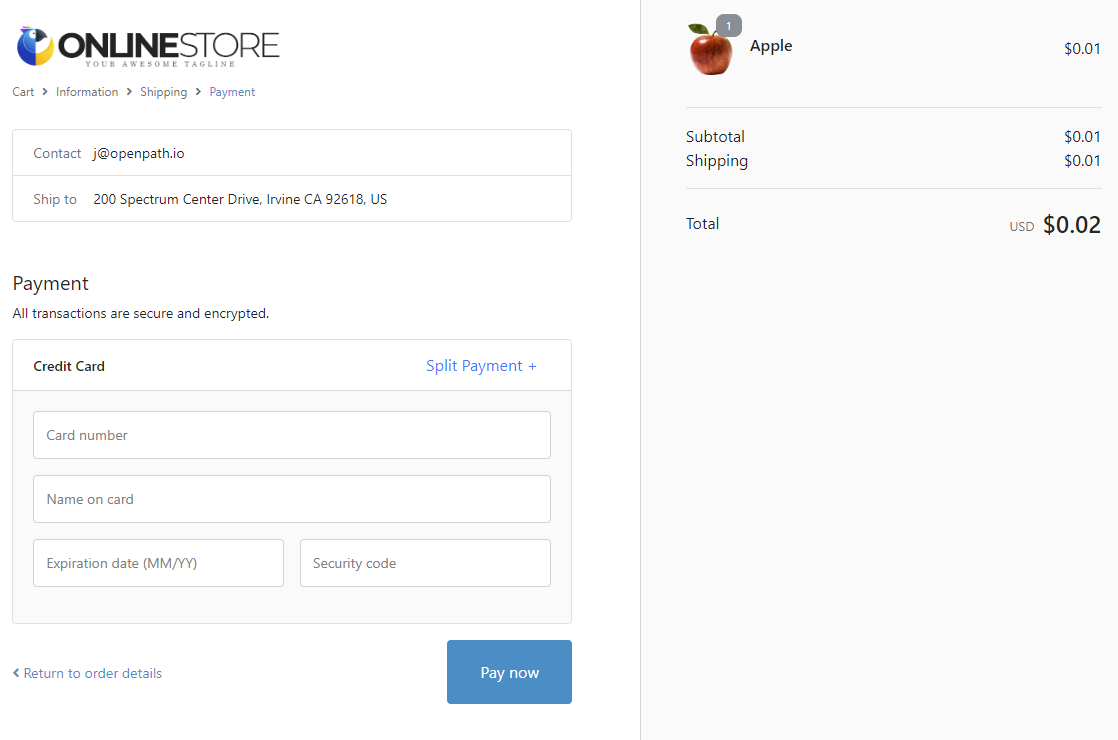
| Validating Installation | One of the main features you will see after the application has been installed is that the Shopify line items will now show up on the Encrypted Checkout payment screen. To check it out add an item to your cart and navigate all the ways through the checkout sequence until you get the Encrypted Checkout screen and validate you can see the line items. |
 |
Was this article helpful?
That’s Great!
Thank you for your feedback
Sorry! We couldn't be helpful
Thank you for your feedback
Feedback sent
We appreciate your effort and will try to fix the article
