Summary
This knowledge base article has all the links needed to setup your Shopify Store with Seamless Chex through the OpenPath Payment Orchestration Platform.
Preparing Seamless Chex
- First get your Seamless Chex API Key for use in OpenPath.
SEAMLESS CHEX - Get a Seamless Chex API Key - Next, setup your Webhook.
SEAMLESS CHEX - Setting up your Webhooks
Setting up OpenPath
- If you do not have an OpenPath account, first create a new account.
OPENPATH - Create an Account - Add Seamless Chex to the OpenPath connectors.
SEAMLESS CHEX - Setting Up a Connector in OpenPath
Setting up Shopify for Checks or Account to Account
- Install the OpenPath Payment Application into Shopify.
SHOPIFY - Installing OpenPath - Enable Account to Account in the OpenPath Shopify settings.
SHOPIFY - Setting up Account to Account - Or enable checks in the OpenPath Shopify settings.
SHOPIFY - Setting up Checks and ACH
Considerations
- Shopify has the ability to process transaction in test mode, make sure when you are ready to accept real checks that this setting is turned off in Shopify.
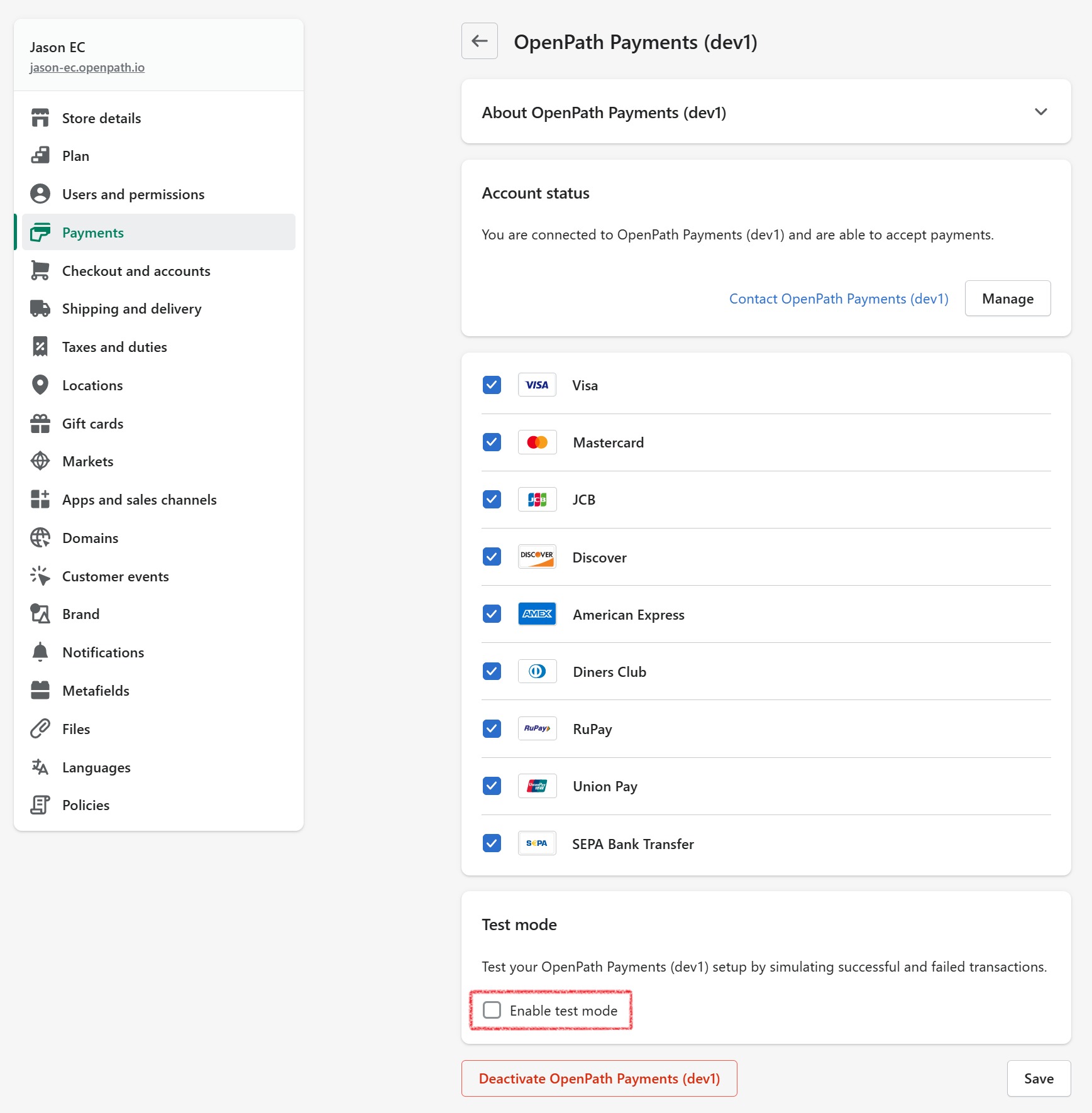
- Make sure that your Site Path in OpenPath is pointing to your Seamless Chex Connector Path in OpenPath. For more information on the Site Path, see the following article.
OPENPATH - Setting up a Site
Was this article helpful?
That’s Great!
Thank you for your feedback
Sorry! We couldn't be helpful
Thank you for your feedback
Feedback sent
We appreciate your effort and will try to fix the article
