Summary
When a check is processed through OpenPath and Maverick, it will first go into a Pending status. This means that the required information was received from the customer and sent to Maverick; however, it can take one or more days before the check is deposited and processed by the merchants and customer's bank.
WARNING: If this step is not completed, then the transaction in OpenPath and connected eCommerce Engines will not know that the transaction status has changed, and the transaction will stay in the pending state forever.
If you follow the steps below, then the Maverick will send updates to OpenPath on the status of a submitted check and updated everything accordingly.
Instructions
In order to setup Maverick Webhooks to send to OpenPath, follow these steps:
- Open a web browser and navigate to:
https://dashboard.maverickpayments.com/login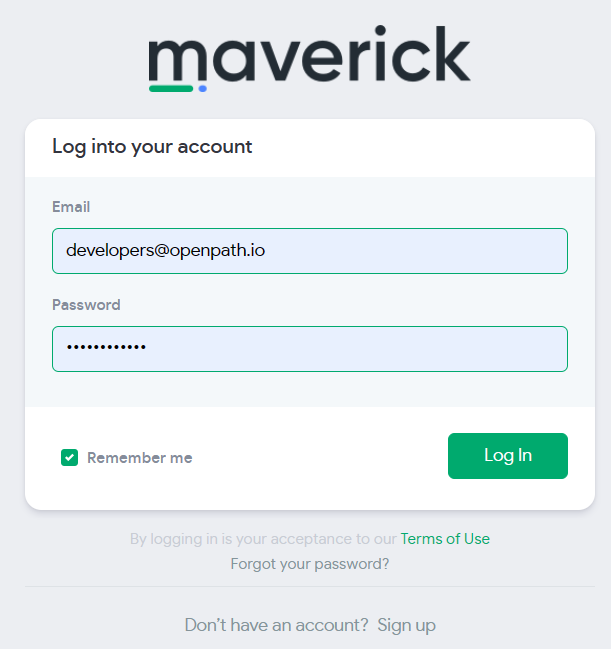
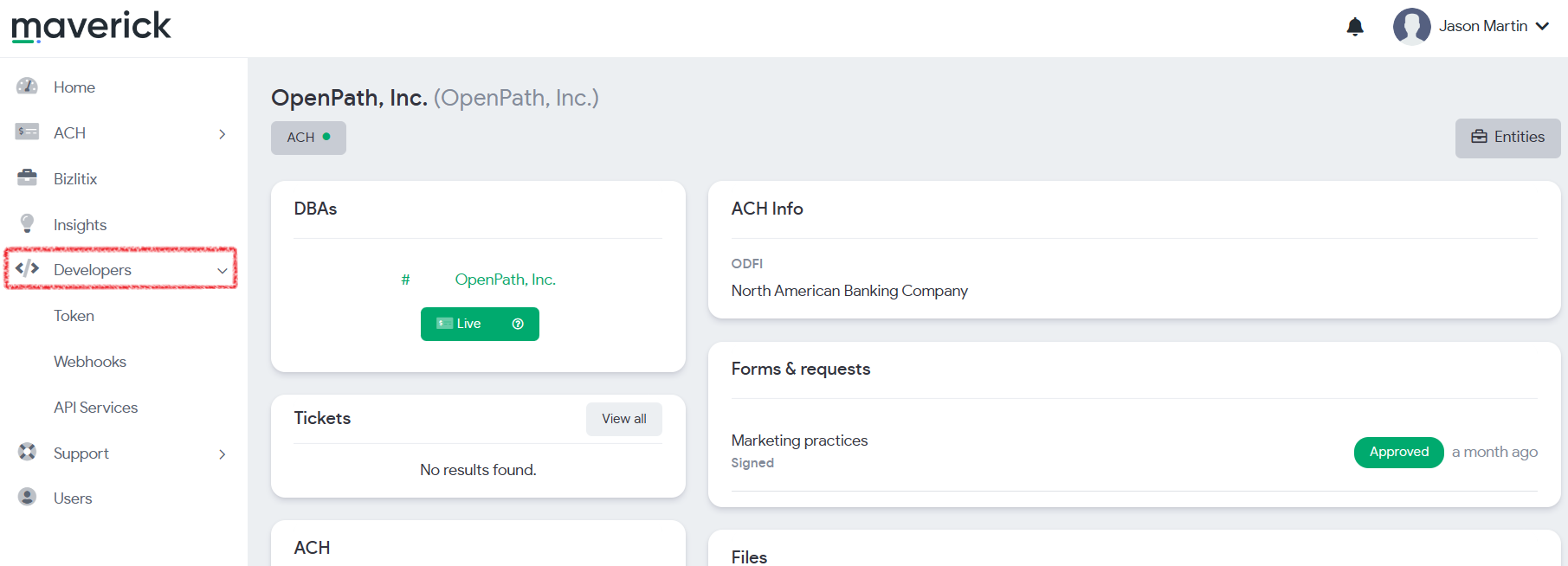
- Once logged in, expand the Developers menu item on the left
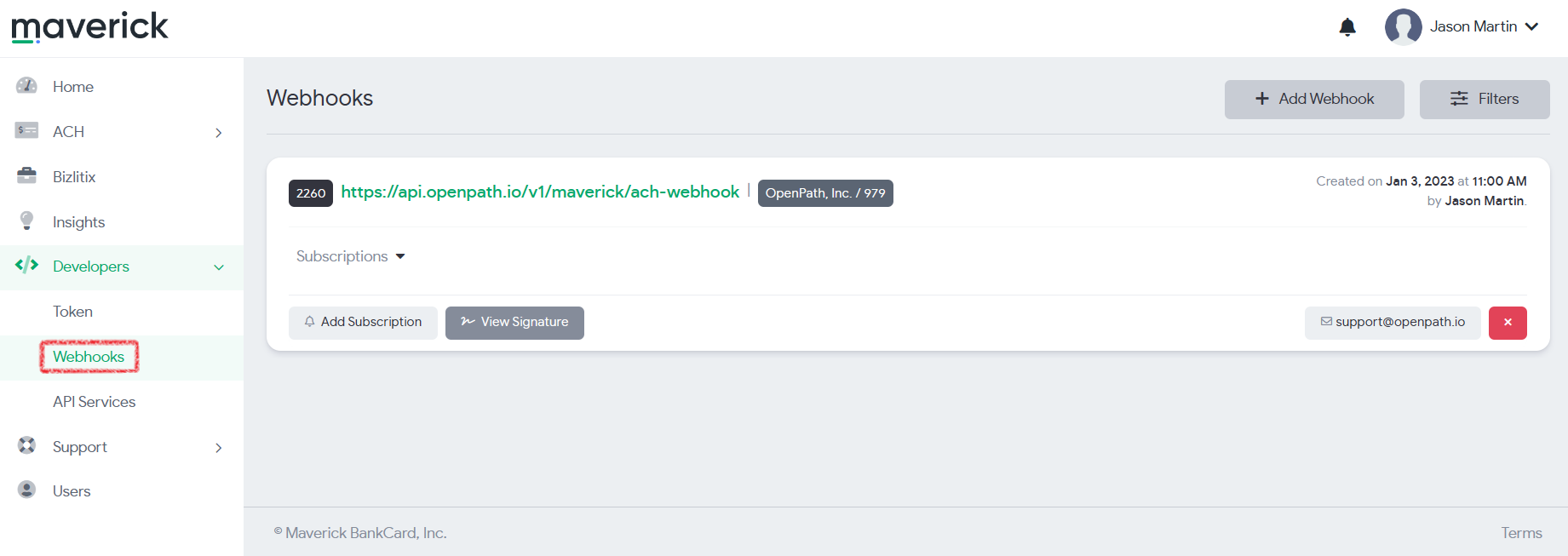
- Then under the Developers menu click on the Webhooks menu item
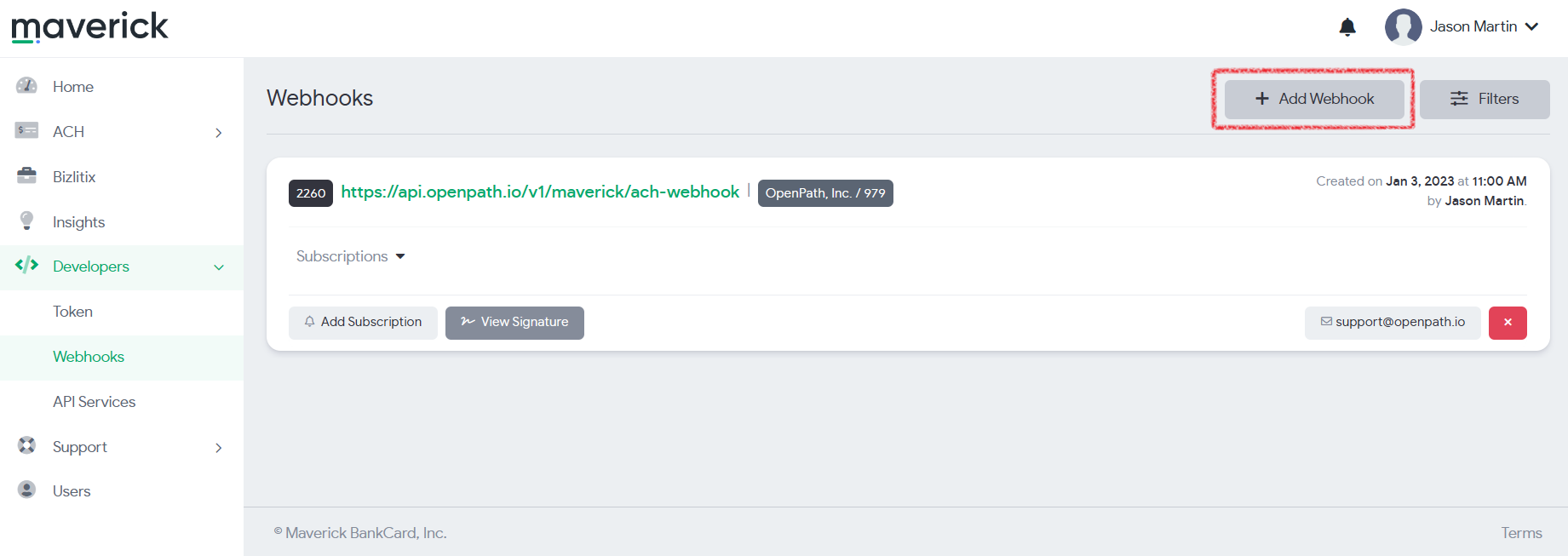
- Next click on the + Add Webhook button near the update right of the screen
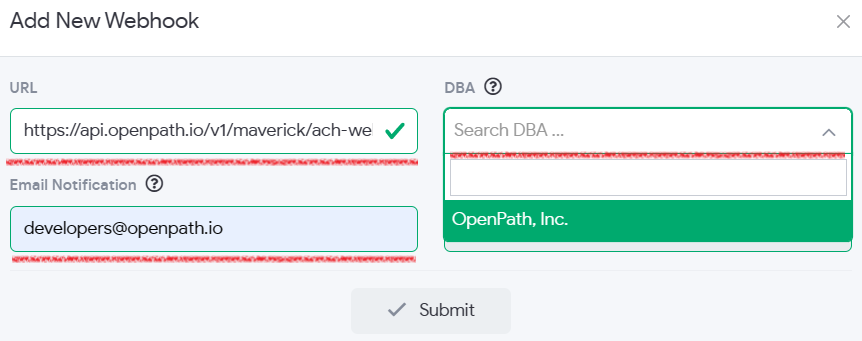
- In the Add New Webhook window enter the following three items
URLhttps://api.openpath.io/v1/maverick/ach-webhook
DBA
Click the down chevron to select your correct DBA
Email Notificationdevelopers@openpath.io
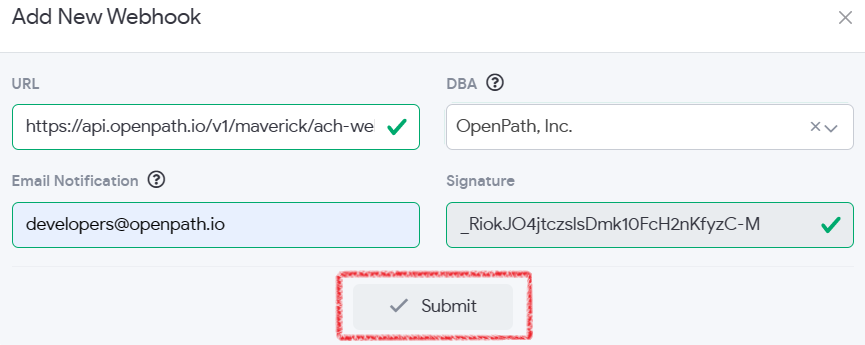
- When complete, click the Submit button
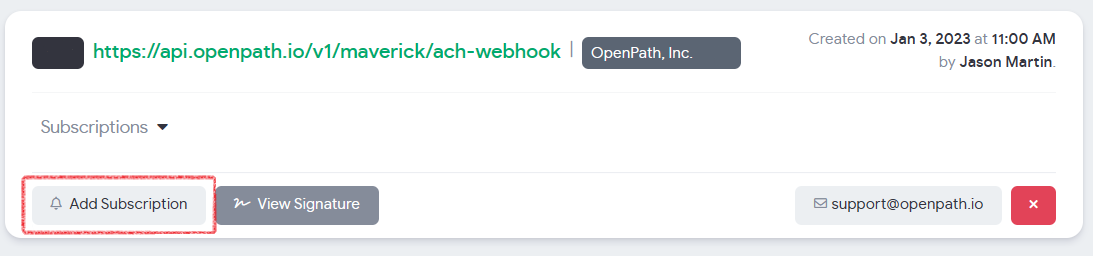
- Next click on the Add Subscription button
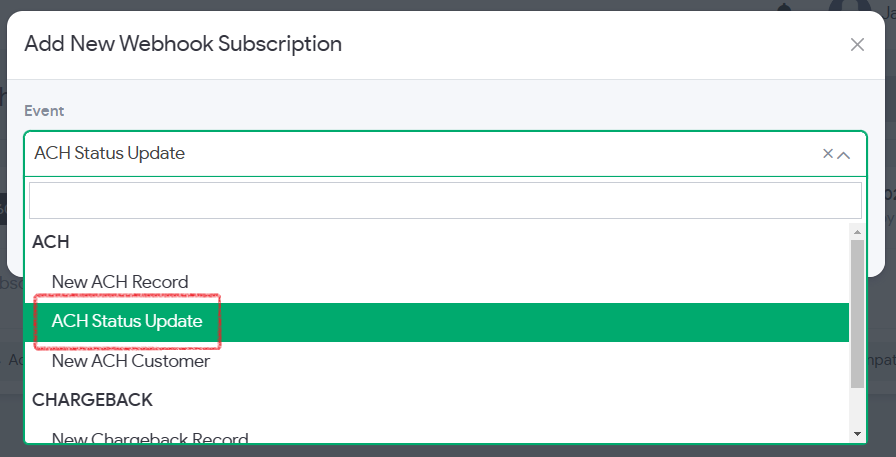
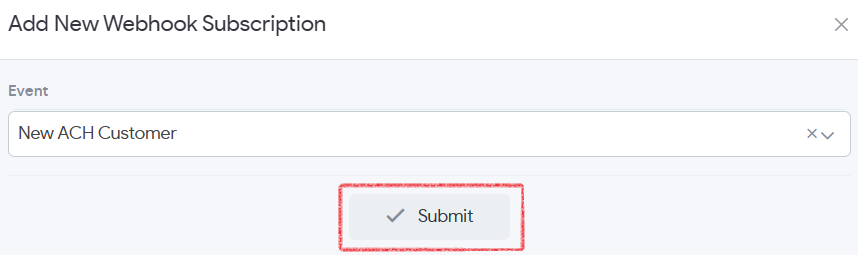
- From the Add New Webhook Subscription Window and the Event drop down list, select ACH Status Update
- Finally click the Submit button and you are ready to go to start receiving check status updates in OpenPath and your CRM.
Was this article helpful?
That’s Great!
Thank you for your feedback
Sorry! We couldn't be helpful
Thank you for your feedback
Feedback sent
We appreciate your effort and will try to fix the article