In order to obtain a Seamless Checks API key to create a connector in OpenPath, follow these steps:
Open a web browser and navigate to https://dashboard.seamlesschex.com/echeck/
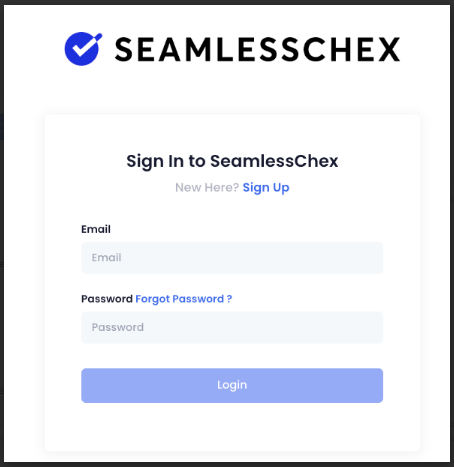
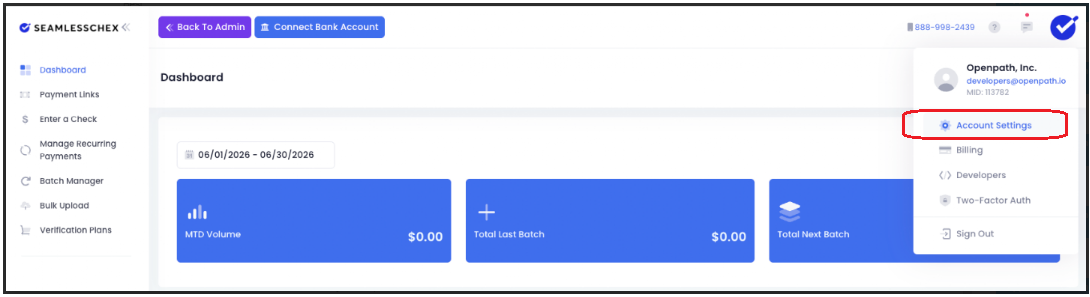
Once logged in, navigate to Account Settings
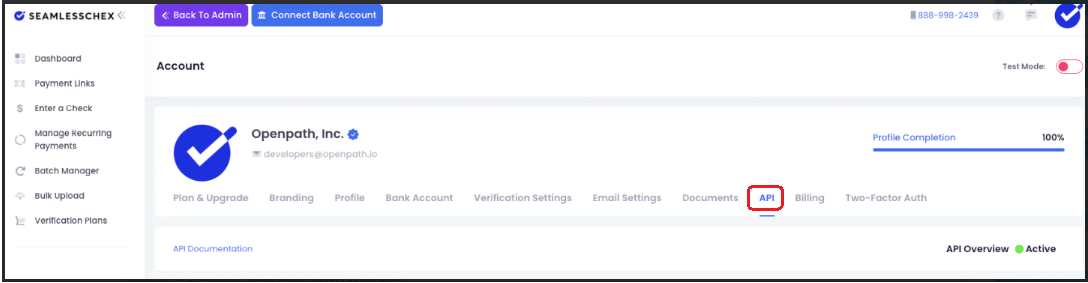
From the Account page click on the API tab.
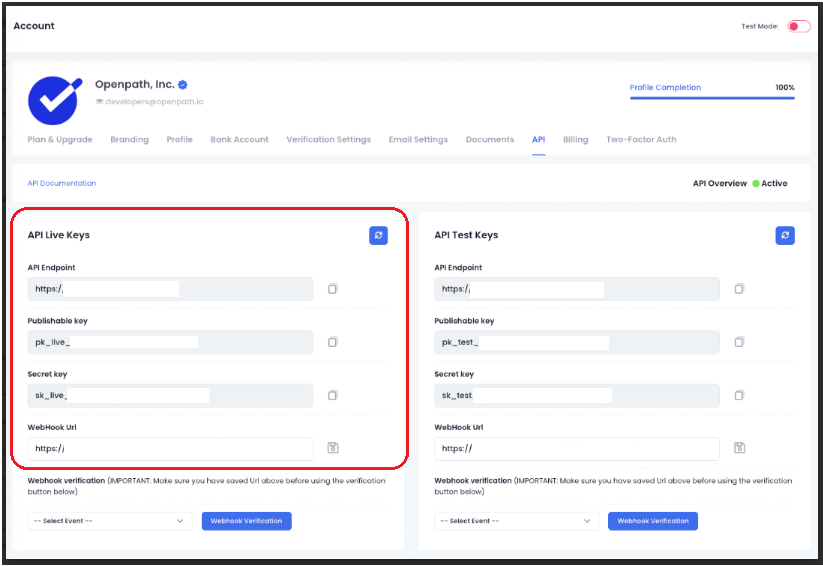
Once viewing the Account Settings API tab, locate the Live section and both the Publishable and Secret key, copy these values for setting up the connector in OpenPath.
To setup Seamless Chex in OpenPath, checkout this article: Setting Up Seamless Checks
Was this article helpful?
That’s Great!
Thank you for your feedback
Sorry! We couldn't be helpful
Thank you for your feedback
Feedback sent
We appreciate your effort and will try to fix the article