DESCRIPTION
Shopify Stores can be set to any Language. The Encrypted Checkout's Payment Page is always set to English but with the Custom HTML feature in the OpenPath Portal, we can change the default English to basically any Language that you prefer on your Payment Page.
TRANSLATING THE PAYMENT PAGE
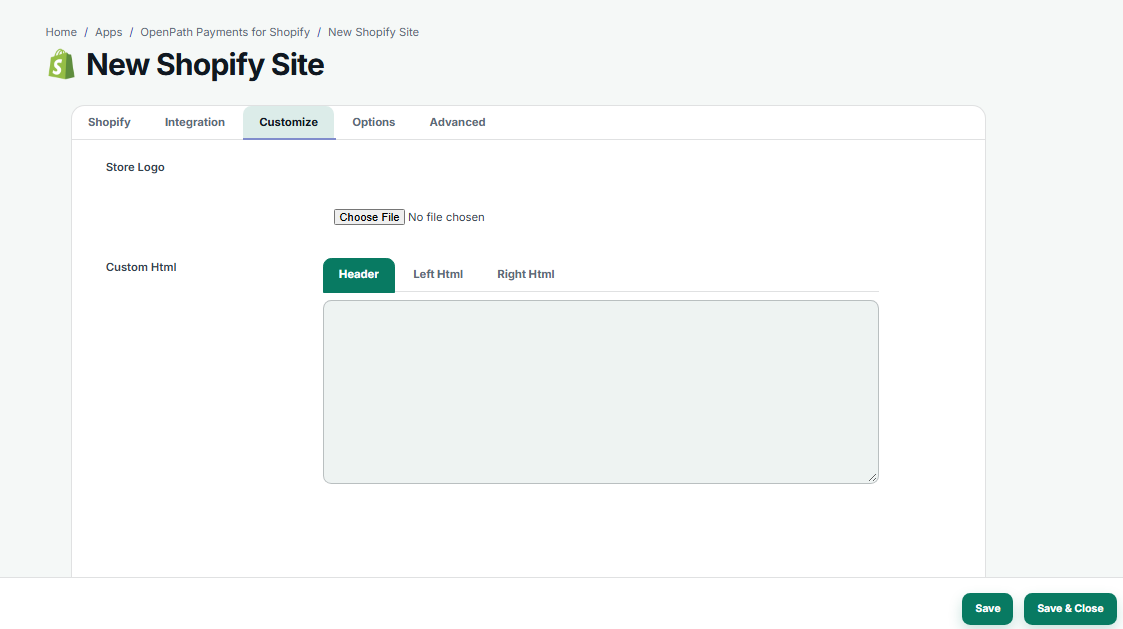
We can apply the Translation CSS in the OpenPath Portal. In the OpenPath Portal, login to your account at https://client.openpath.io and navigate to Apps > Shopify. Click on your Site Card and go to the Customize.
TRANSLATION SCRIPT
Copy and Paste the Translation Script below in the Header tab and make the necessary changes on the Language that you prefer. This example is in French.
<script src="https://code.jquery.com/jquery-3.6.0.min.js" integrity="sha256-/xUj+3OJU5yExlq6GSYGSHk7tPXikynS7ogEvDej/m4=" crossorigin="anonymous"></script>
<script>
$(document).ready(function(){
$('li.breadcrumb-item').each(function() {
var text = $(this).text();
$(this).text(text.replace('Cart', 'Panier'));
});
$('li.breadcrumb-item').each(function() {
var text = $(this).text();
$(this).text(text.replace('Shipping', 'Livraison'));
});
$('li.breadcrumb-item, h5').each(function() {
var text = $(this).text();
$(this).text(text.replace('Payment', 'Paiement'));
});


$('li.list-group-item span').each(function() {
var text = $(this).text();
$(this).text(text.replace('Ship to', 'Livrer à/Adresse de livraison'));
});

$('form > p').each(function() {
var text = $(this).text();
$(this).text(text.replace('All transactions are secure and encrypted', 'Toutes les transactions sont sécurisées et cryptées'));
});
$('.credit-card-details-holder span').each(function() {
var text = $(this).text();
$(this).text(text.replace('Credit Card', 'Carte de crédit'));
});
$('.card-body.card-details label').each(function() {
var text = $(this).text();
$(this).text(text.replace('Card number', 'Numéro de la carte'));
});
$('.card-body.card-details label').each(function() {
var text = $(this).text();
$(this).text(text.replace('Name on card', 'Nom sur la carte'));
});
$('.card-body.card-details label').each(function() {
var text = $(this).text();
$(this).text(text.replace('Expiration date (MM/YY)', "Date d'expiration (MM/AA)"));
});
$('.card-body.card-details label').each(function() {
var text = $(this).text();
$(this).text(text.replace('Security code', 'Code de sécurité'));
});


$('a').each(function() {
var text = $(this).text().trim();
if (text == 'Return to order details'){
$(this).html('<i class="fas fa-angle-left"></i> Retourner aux détails de la commande');
}
});

$('button#submitButton').each(function() {
var text = $(this).text();
$(this).text(text.replace('Pay now', 'Payer maintenant'));
});
$('#SummarySlide div.mt-auto.mb-auto').each(function() {
var text = $(this).text();
$(this).text(text.replace('Subtotal', 'Sous-total'));
});
$('#SummarySlide div.mt-auto.mb-auto').each(function() {
var text = $(this).text();
$(this).text(text.replace('Shipping', 'Livraison'));
});

});
</script>
This is what the Translated Page looks like:
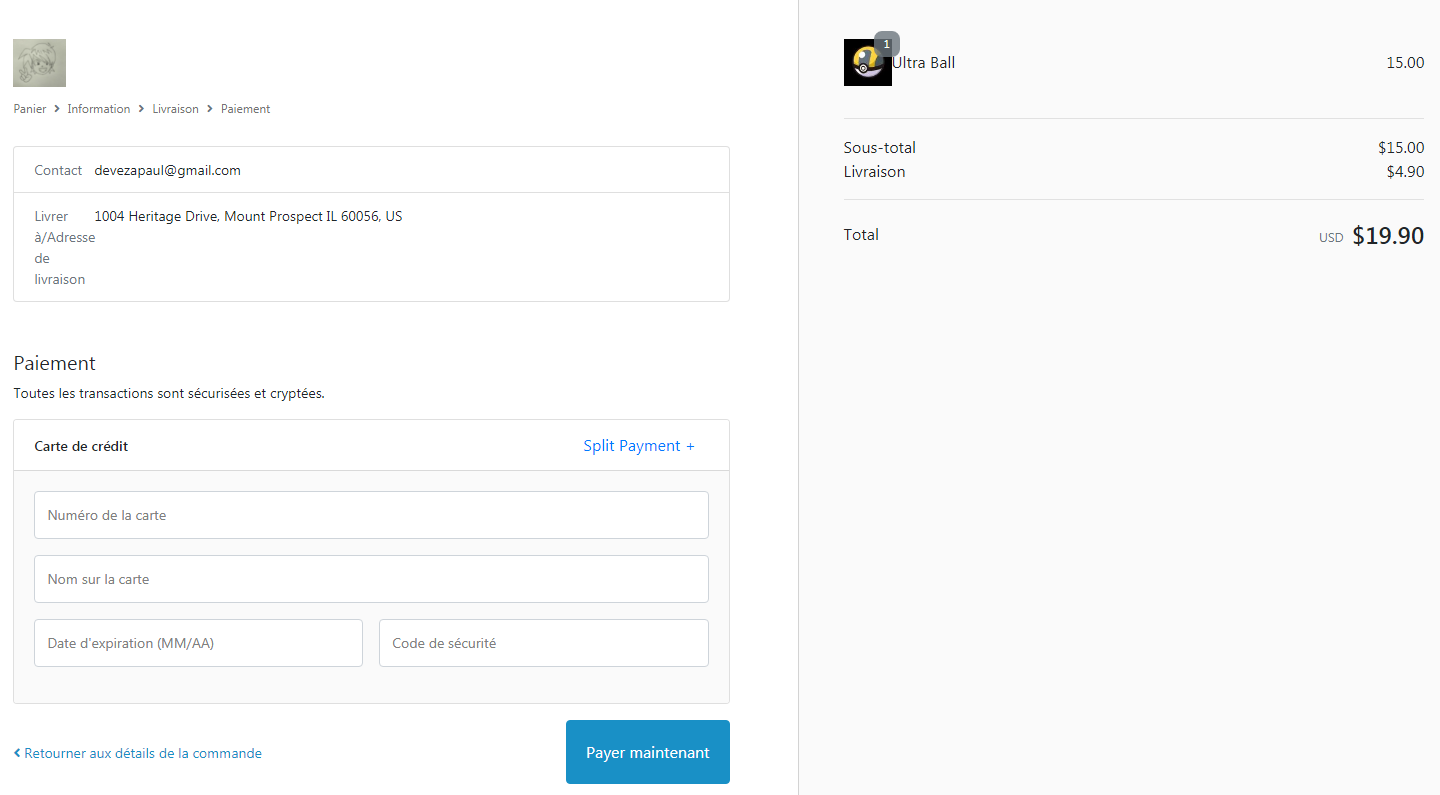
You can also limit your translation to specific sections of the Payment Page. Just remove the line of code that you do not wish to change.
For assistance with configurations, JavaScript, etc. you can contact the team at support@openpath.io
Was this article helpful?
That’s Great!
Thank you for your feedback
Sorry! We couldn't be helpful
Thank you for your feedback
Feedback sent
We appreciate your effort and will try to fix the article
