The OpenPath platform has a new addition to its Subscription Feature; The OpenPath Plan Subscriptions. Plan Subscription gives us the flexibility to create recurring orders based on your store's subscription preference. It can be set Daily, Weekly, Monthly or Annually. It can also be set into any specific number of days or months your recurring order is planned.
Setting Up Plan Subscription
Setting up Plan Subscriptions has extra steps compared to Auto Subscription. (For a Refresher on Auto Subscriptions, please see https://openpath-inc.zendesk.com/hc/en-us/articles/360050462472-Shopify-Auto-Subscriptions)
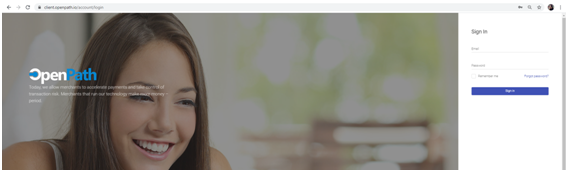
First, login to the OpenPath Portal with you username and password.
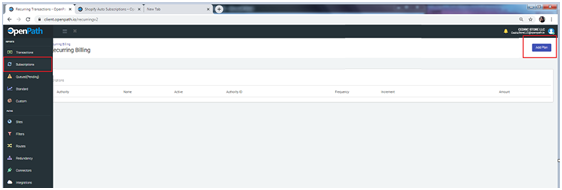
Click on Subscriptions on the Left side of the screen and then click on Add Plan.
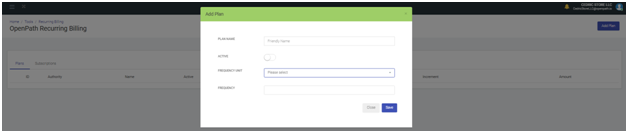
Name the Subscription Plan that you want to setup. On the Frequency dropdown, you can choose Days, Months or Years. The Frequency will determine when the system will create the order i.e. 7 Days, 3 Months, 1 year, etc. Make sure to SAVE.
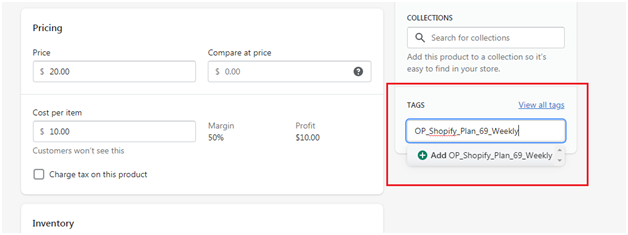
In this screenshot, I've set it to Recreate the Order every week (7 Days). Copy the tag that the system has generated.

Login to your Shopify Account and go to your Subscription Item. Paste the tag that we've copied on the tags section on Shopify. SAVE.
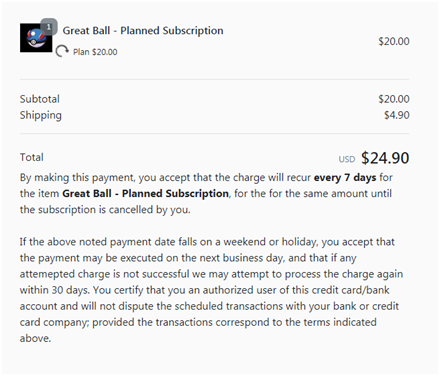
When a product with the subscription tag has been purchased, it will automatically create a Subscription Order. Similar with the Auto Subscription, The Recurring Icon will appear next to the product image. A Product disclosure statement will be displayed as well.
Managing Plan Subscription
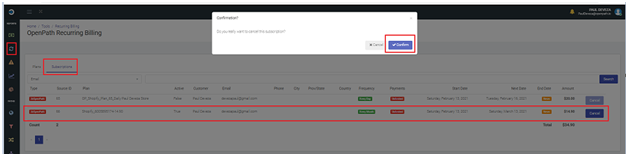
If a customer wishes to cancel their Subscription Order, all you need to do is to navigate to Subscriptions on the Left Menu and go to the Subscription tab. Choose the customer who wishes to unsubscribe and then click on the Cancel button. A confirmation window will pop up.
Things to Consider
Please note that Plan Subscriptions can be set to any Billing Increment. It can also be mixed with One Time Purchase items. Shipping and Taxes are not supported on Plan Subscriptions. As a workaround, we can add the Shipping and Taxes and add it to the Retail Price.
Please check our youtube video for a complete walkthrough of Encrypted Checkout 2.7, Auto Subscription and Plan Subscription: https://www.youtube.com/watch?v=2qb59B7mIGM&t=772s
Was this article helpful?
That’s Great!
Thank you for your feedback
Sorry! We couldn't be helpful
Thank you for your feedback
Feedback sent
We appreciate your effort and will try to fix the article
