What is Auto-Subscription?
Auto-subscriptions allow any Shopify product to be turned into a subscription purchase. By tagging the product, the system will recognize it as a subscription and repeat the customer payment every month on the same date until cancelled.
How to Setup Auto-Subscription:
Tag a product
Add the tag “auto-subscription” onto the product
- Go to your online store product list.
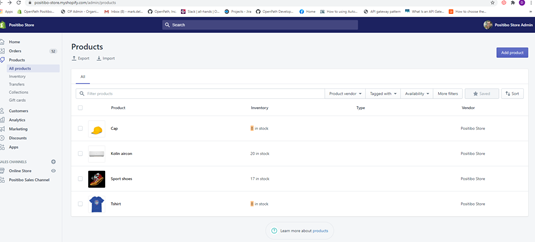
- Click the product you want to add a subscription.
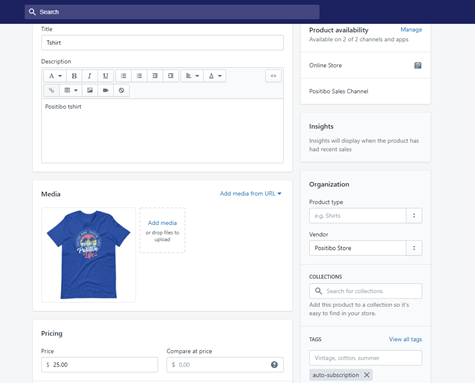
- Add the Tag “auto-subscription” in the tags section.
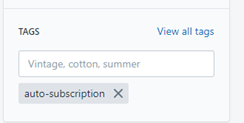
- When the product has a tag “auto-subscription”, It will automatically create a subscription for that specific product when it is purchased
- If the product has the tag, on the payment transaction page, the recurring icon will appear in the product details within the price details.
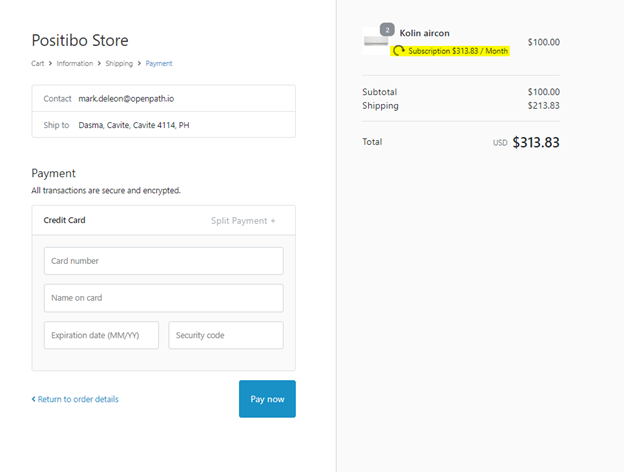
Subscription Transactions
- When a product with the “auto-subscription” tag is purchased, it will automatically create a sale transaction in OpenPath, and a subscription plan will be created.
- The merchant can check all the individual transactions in the Transactions page in the OpenPath Enterprise portal.
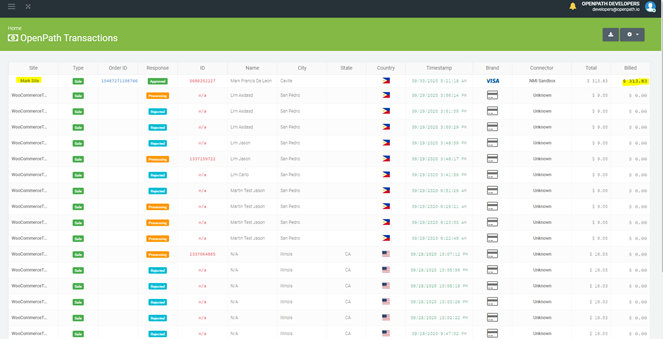
- Every month, on the same date the system will execute a billing transaction.
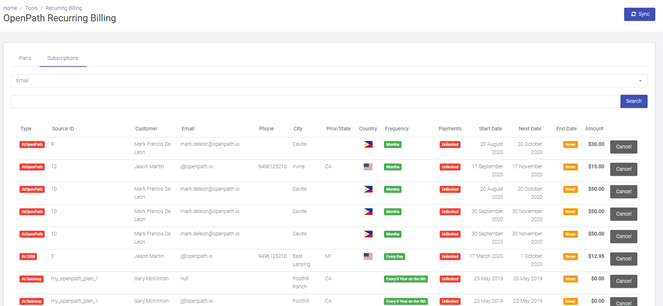
- The subscription plan information can be seen in the Subscription page in the OpenPath Enterprise portal.
Notes:
Shoppers cannot purchase a combination of a product that has a subscription tag and a product that has no subscription, since the tax and shipping are combined.
A message will be displayed to the customer to advise them of this.
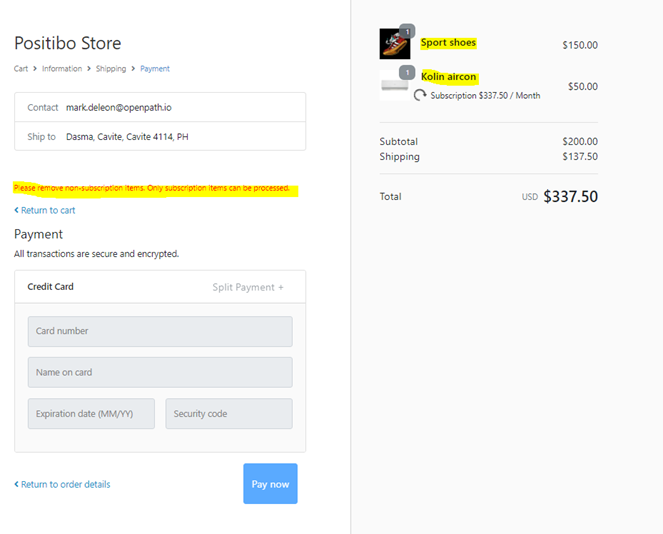
They will simply remove the products that have no subscription tag from the cart, to proceed with the payment.
Was this article helpful?
That’s Great!
Thank you for your feedback
Sorry! We couldn't be helpful
Thank you for your feedback
Feedback sent
We appreciate your effort and will try to fix the article
