Konnektive CRM has been upgraded to integrate to the OpenPath gateway which is a 3rd Party 3DS gateway.
OpenPath provides advanced solutions for transaction management. Allowing merchants to accelerate payments and take control of risk and fraud. Merchants that run our technology complete more transactions and make more money – guaranteed.
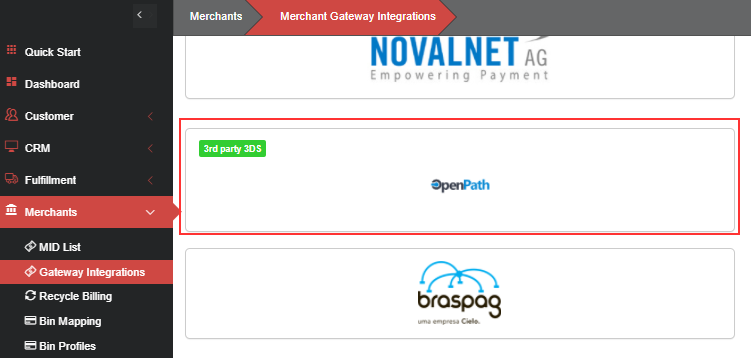
To configure, go to the Merchants Menu and select Gateway Integrations.
- Find the OpenPath tile. (Tiles are listed in alphabetical order.)
- Click on the tile and select Activate:
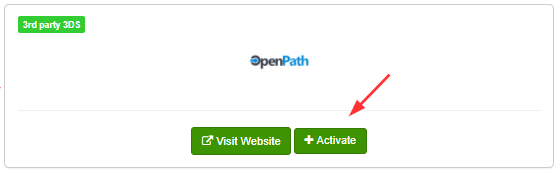
Activate will add a new Merchant Account:
In the Username, Password fields insert the API Login ID and Transaction Key from your desired Site from the OpenPath portal. For more information on locating that information, please see the following article: Getting Site API Keys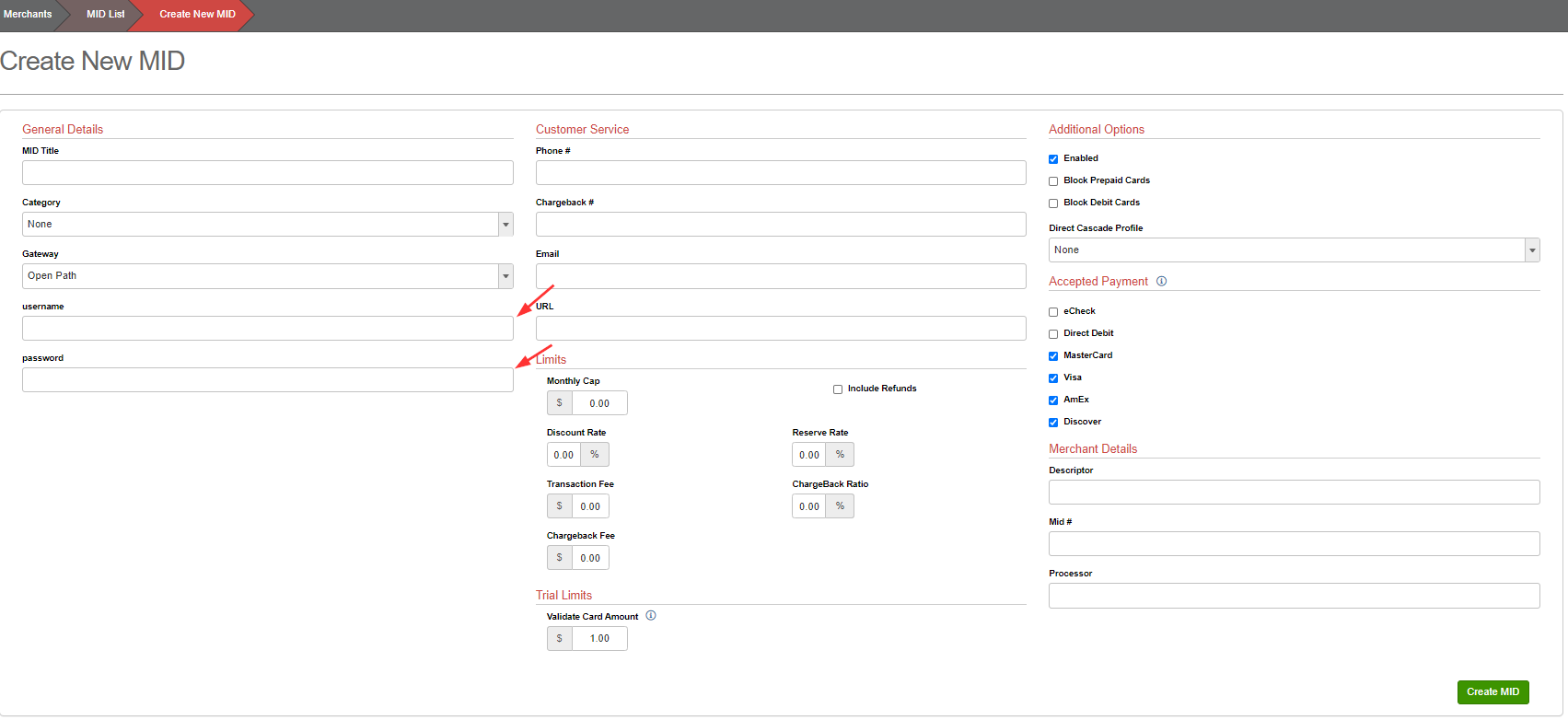
Was this article helpful?
That’s Great!
Thank you for your feedback
Sorry! We couldn't be helpful
Thank you for your feedback
Feedback sent
We appreciate your effort and will try to fix the article