Summary
In this article we will take you though the step-by-step instructions for setting up Magento 1 to connect to the OpenPath platform as a gateway.
Download
Installation
- Extract the contents of the zip file to /{magento-folder}/app
- Log-in to the Magento 1 admin, then go to System → Tools → Compilation. Disable the Compilation state.

- Go to System → Cache Management. Click Flush Magento Cache.

- Go to System → Sales → Payment Methods → OpenPath Payments and enter your site credentials.
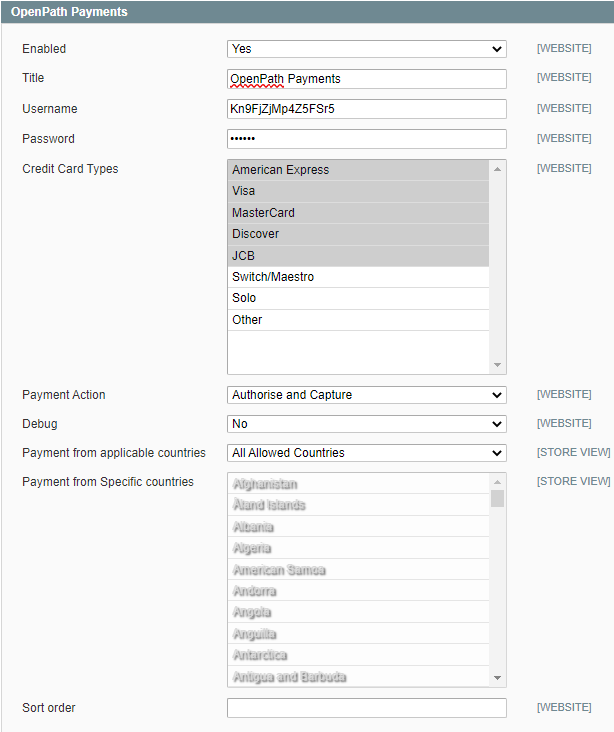
- Go to System → Tools → Compilation. Click the Run Compilation Process button and re-enable compilation.

Was this article helpful?
That’s Great!
Thank you for your feedback
Sorry! We couldn't be helpful
Thank you for your feedback
Feedback sent
We appreciate your effort and will try to fix the article